> For the complete documentation index, see [llms.txt](https://docs.wemix.fi/llms.txt). Markdown versions of documentation pages are available by appending `.md` to page URLs; this page is available as [Markdown](https://docs.wemix.fi/guides/liquid-staking/stake.md).

# Stake

The Stake feature enables exchanging WEMIX for stWEMIX, a liquid staking token that represents staked WEMIX. This guide walks through the complete staking process.

{% hint style="info" %}

#### Prerequisites

Required items for Stake:

* Web3 wallet (WemixPLAY, MetaMask) set up for WEMIX3.0 network
* Native WEMIX to stake and pay network transaction fees
  {% endhint %}

***

{% stepper %}
{% step %}

## Starting to Stake

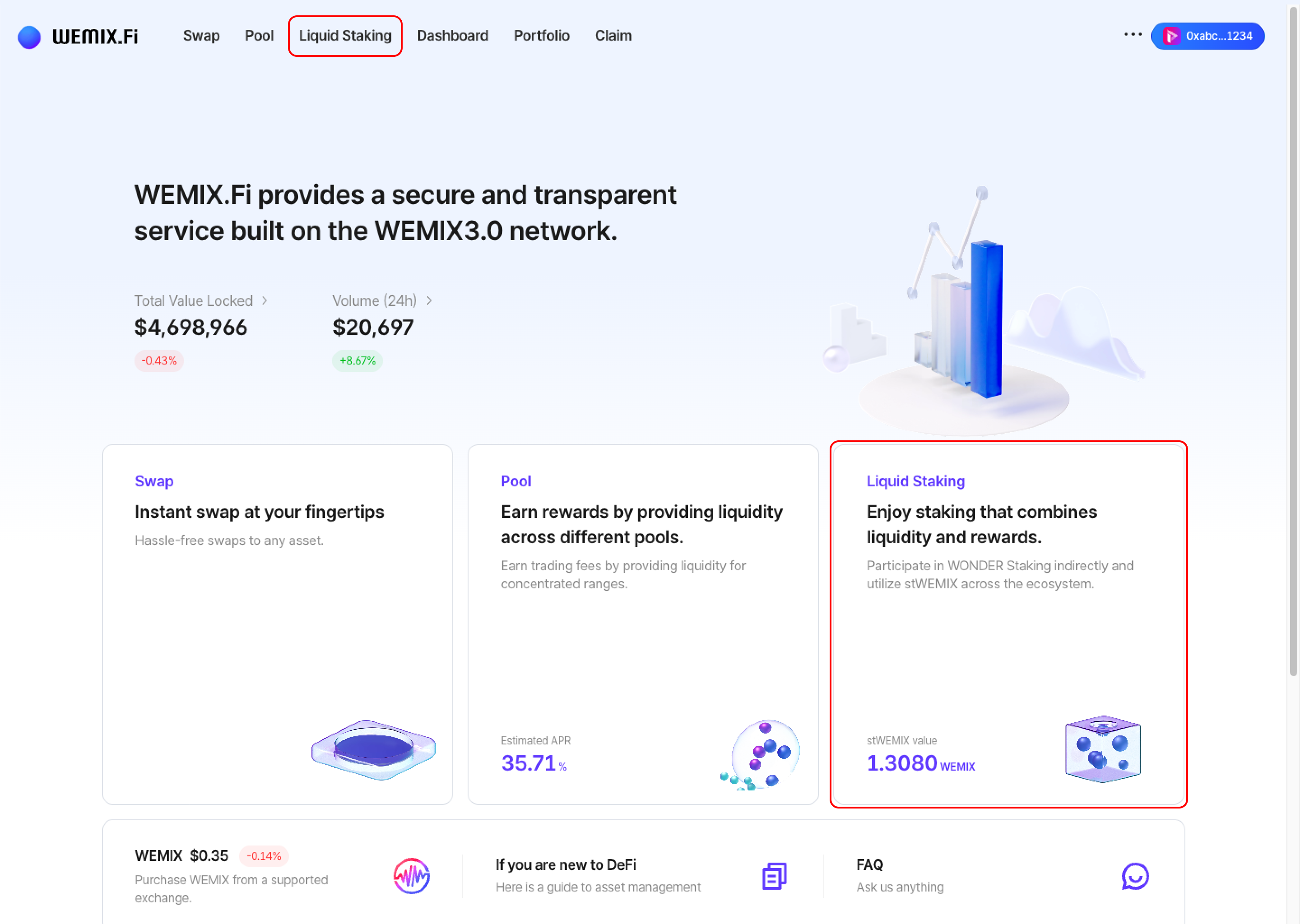
<figure><img src="https://1713088198-files.gitbook.io/~/files/v0/b/gitbook-x-prod.appspot.com/o/spaces%2FEo55jrwSeX46HoVs0pqI%2Fuploads%2FNCJsVHC0nG1pSfDqP8pd%2Fimage.png?alt=media&amp;token=97123f4c-c940-4260-b326-009dcb0d16e8" alt=""><figcaption></figcaption></figure>

* Connect a wallet to WEMIX.Fi and navigate to the Liquid Staking page.&#x20;

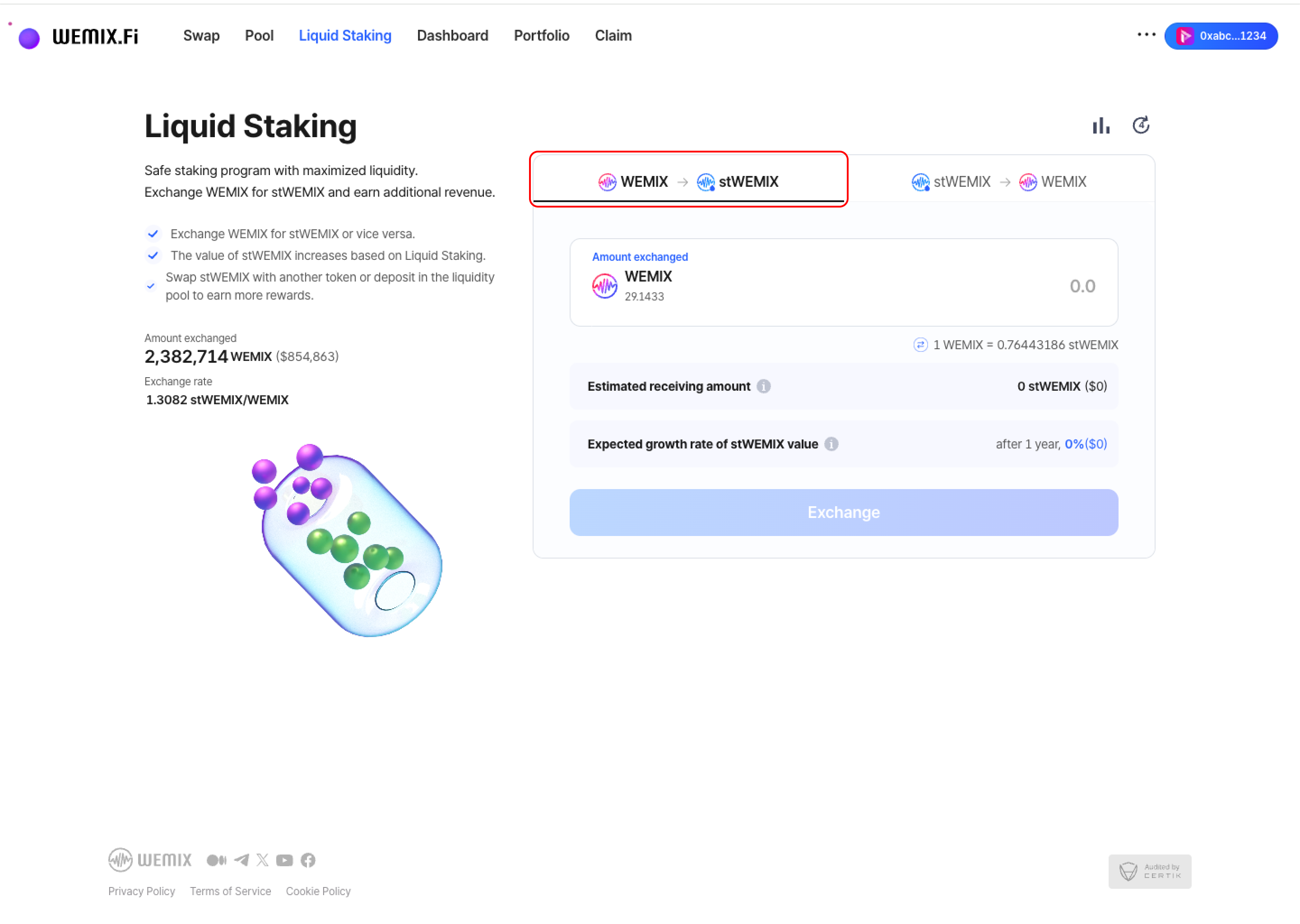
<figure><img src="https://1713088198-files.gitbook.io/~/files/v0/b/gitbook-x-prod.appspot.com/o/spaces%2FEo55jrwSeX46HoVs0pqI%2Fuploads%2Fk6oX8KC5LX5U0HdruApN%2Fimage.png?alt=media&amp;token=20750e8b-3d7d-4db3-aa1b-215cf8bb84e2" alt=""><figcaption></figcaption></figure>

* Select WEMIX → stWEMIX to begin the staking process.
  {% endstep %}

{% step %}

## Enter Staking Amount

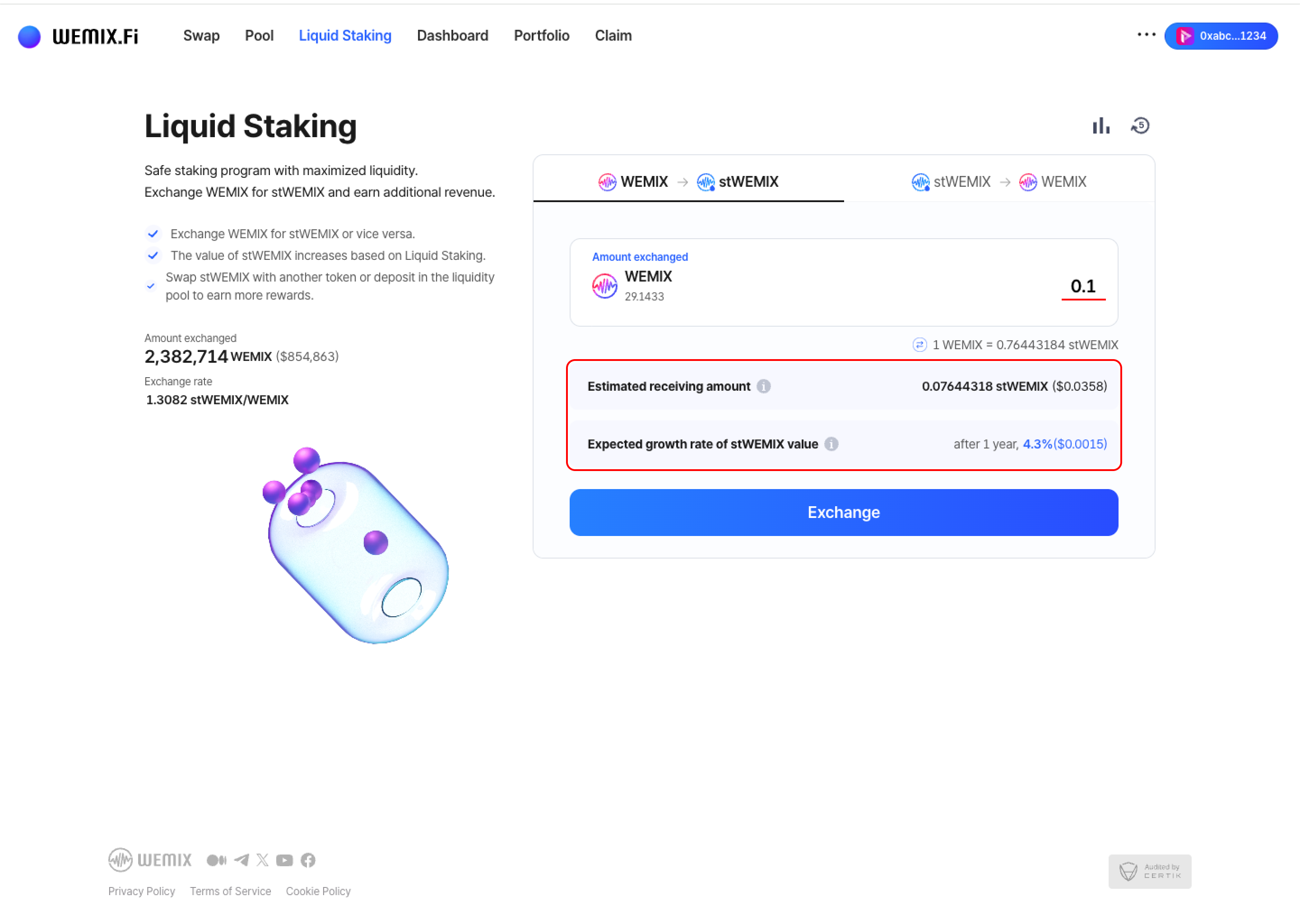
<figure><img src="https://1713088198-files.gitbook.io/~/files/v0/b/gitbook-x-prod.appspot.com/o/spaces%2FEo55jrwSeX46HoVs0pqI%2Fuploads%2F2joWeWMr0VEwRqVNz5XY%2Fimage.png?alt=media&amp;token=484a78a5-e525-46de-99e5-ace8b5776ae3" alt=""><figcaption></figcaption></figure>

* Input the amount of WEMIX to stake. The interface displays:
  * Current exchange rate between WEMIX and stWEMIX
  * Expected stWEMIX amount based on current exchange rate
  * Estimated annual growth rate of stWEMIX valu
    {% endstep %}

{% step %}

## Executing the Transaction

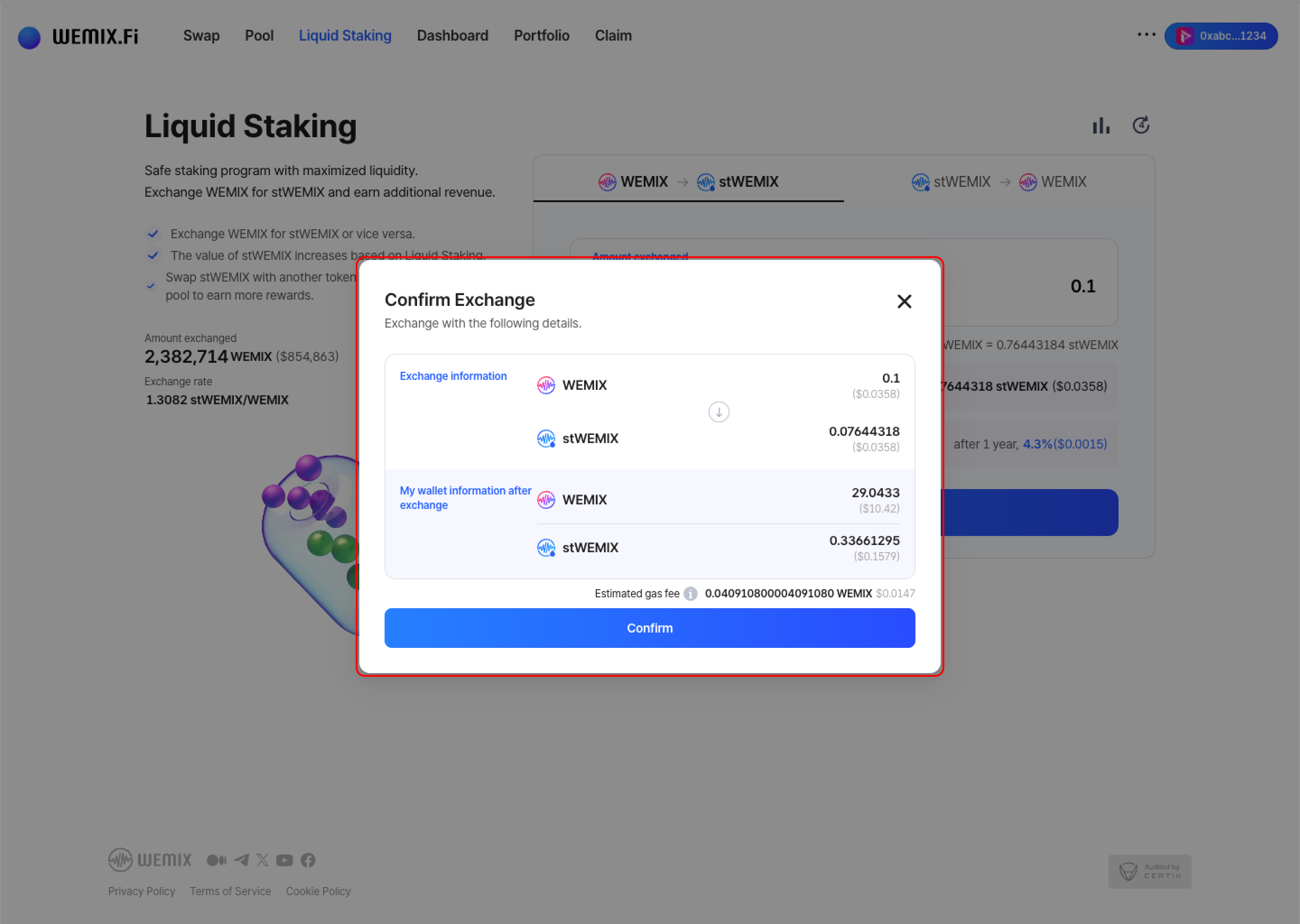
<figure><img src="https://1713088198-files.gitbook.io/~/files/v0/b/gitbook-x-prod.appspot.com/o/spaces%2FEo55jrwSeX46HoVs0pqI%2Fuploads%2FCKLo7VepQv4qOe66Jl8l%2Fimage.png?alt=media&amp;token=af4c3366-e79f-4ebb-8be5-48172e900c77" alt=""><figcaption></figcaption></figure>

* Review the staking details and confirm.

<figure><img src="https://1713088198-files.gitbook.io/~/files/v0/b/gitbook-x-prod.appspot.com/o/spaces%2FEo55jrwSeX46HoVs0pqI%2Fuploads%2FGPMurRGn2GSdZaEWYJFY%2Fimage.png?alt=media&amp;token=af953df5-a962-45b3-a4e0-32f5532b7fc1" alt=""><figcaption></figcaption></figure>

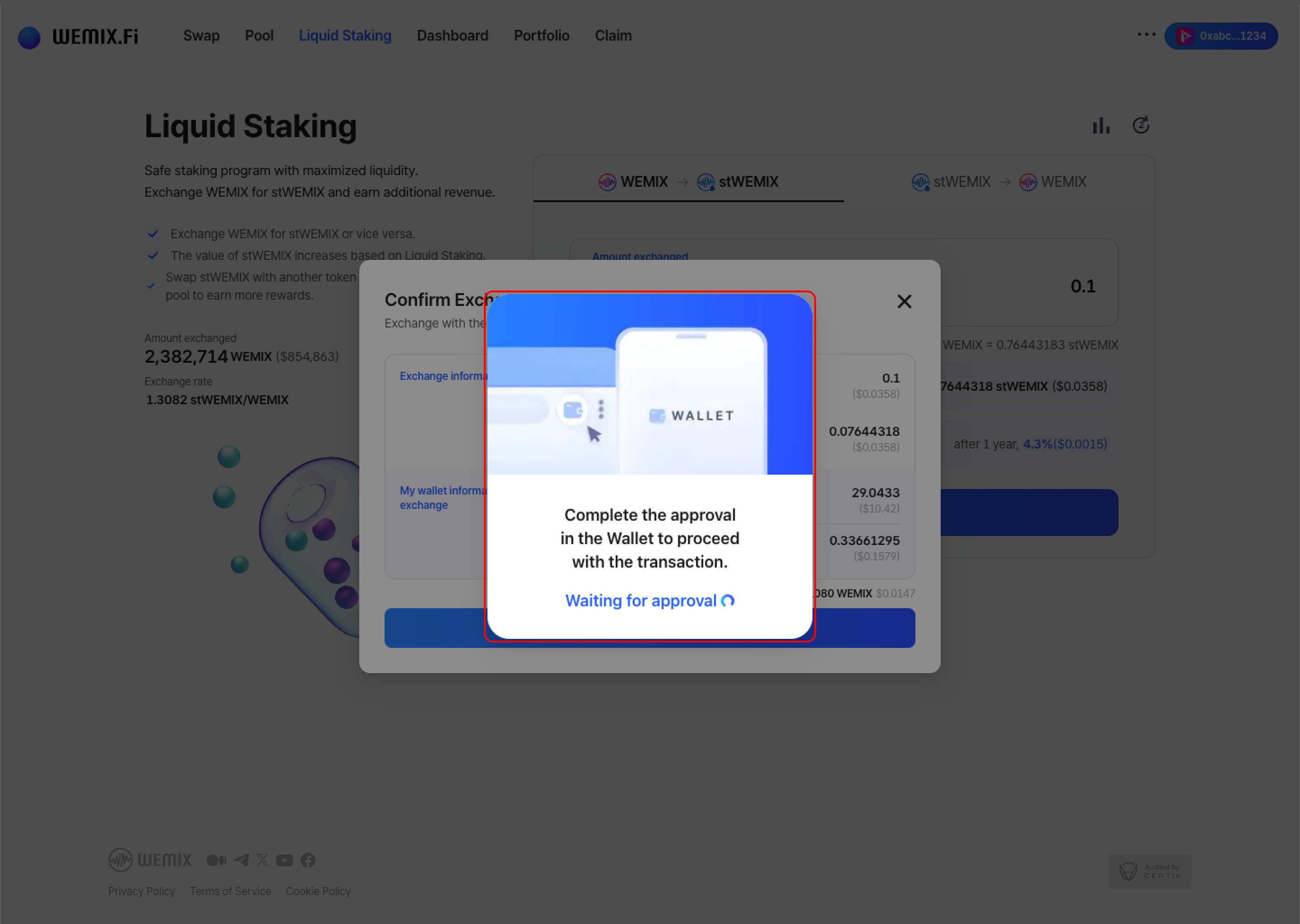
* The wallet requests approval to process the stake. After approval, the transaction processes on the blockchain.

<figure><img src="https://1713088198-files.gitbook.io/~/files/v0/b/gitbook-x-prod.appspot.com/o/spaces%2FEo55jrwSeX46HoVs0pqI%2Fuploads%2F4ybJLZZ3SReCc7MLVUdn%2Fimage.png?alt=media&amp;token=4108676b-2e77-4a78-8ce3-3f3716f21c07" alt=""><figcaption></figcaption></figure>

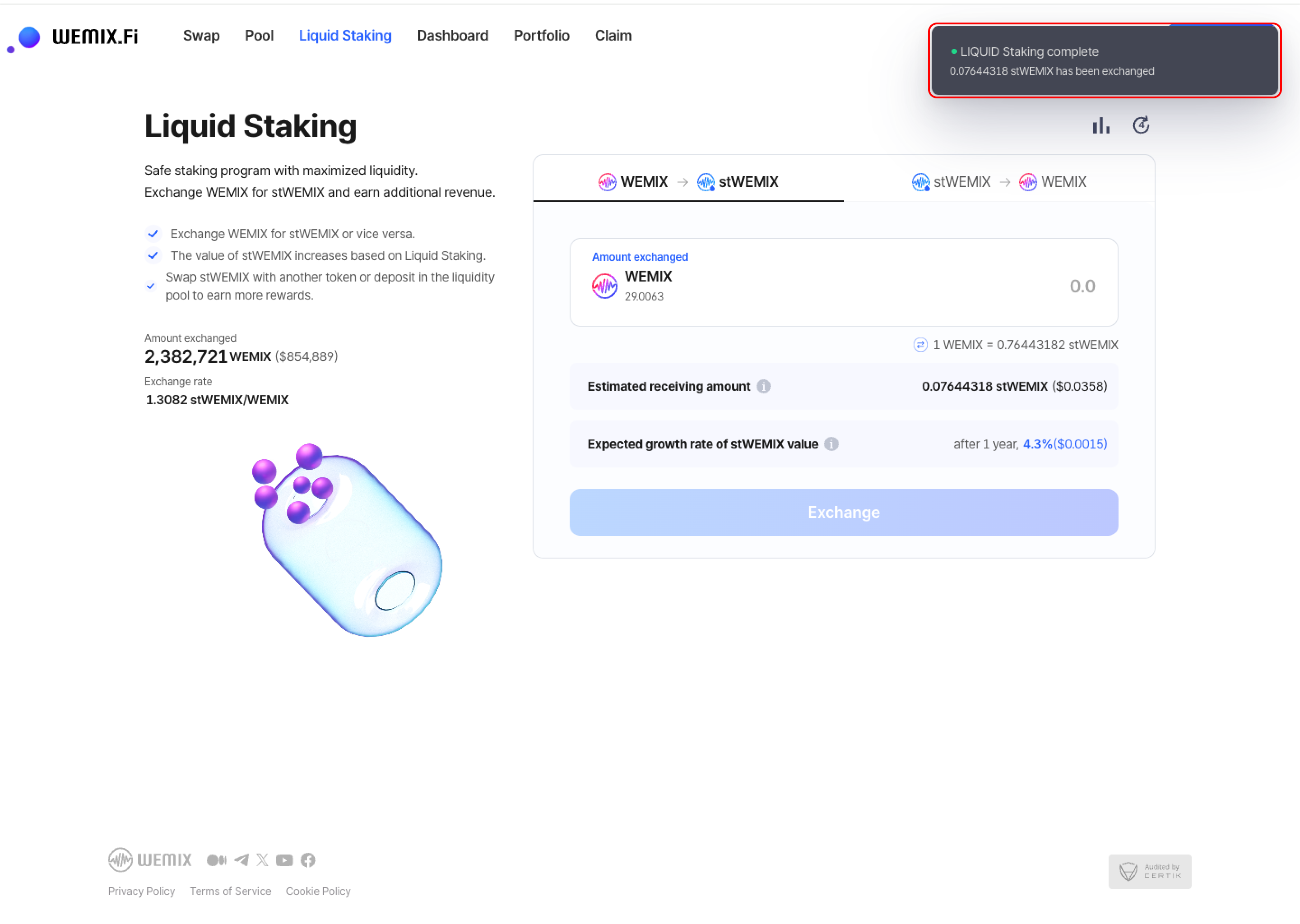
* A confirmation notification appears upon successful completion, and stWEMIX is transferred to the wallet.
  {% endstep %}
  {% endstepper %}

***

## Transaction History

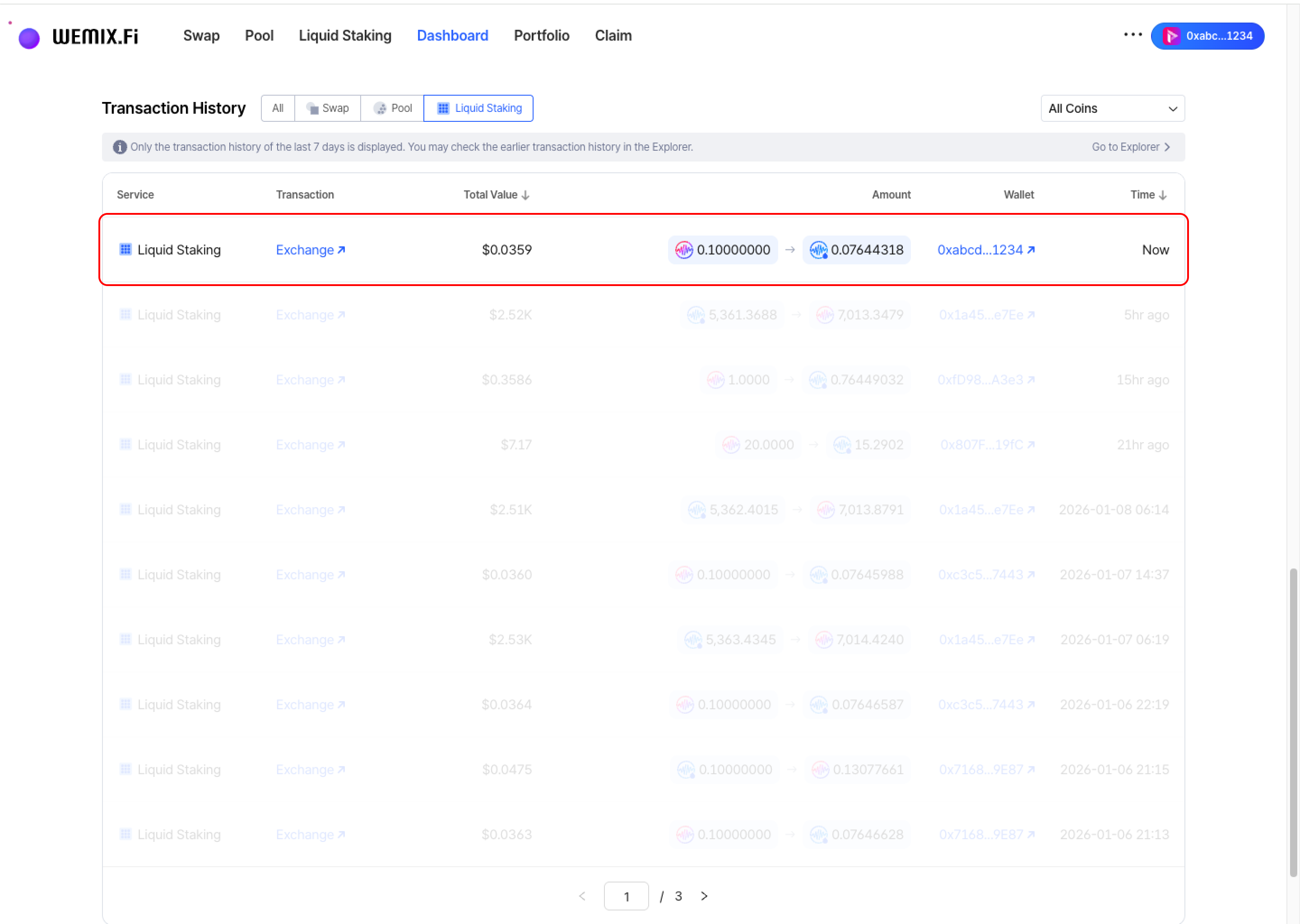
<figure><img src="https://1713088198-files.gitbook.io/~/files/v0/b/gitbook-x-prod.appspot.com/o/spaces%2FEo55jrwSeX46HoVs0pqI%2Fuploads%2FBvBC1QmFDSJPK3Dce9tY%2Fimage.png?alt=media&amp;token=5cd89a3f-9dd0-4000-ae91-9ffa6070b16b" alt=""><figcaption></figcaption></figure>

* Completed stakes appear in the Dashboard's Transaction History.