> For the complete documentation index, see [llms.txt](https://docs.wemix.fi/llms.txt). Markdown versions of documentation pages are available by appending `.md` to page URLs; this page is available as [Markdown](https://docs.wemix.fi/guides/pool/deposit.md).
# Deposit
The Deposit feature enables depositing tokens to liquidity pools on WEMIX.Fi. This guide walks through the complete process of creating a liquidity position.
{% hint style="info" %}
#### Prerequisites
**Required items for Deposit:**
* Web3 wallet (WemixPLAY, MetaMask) set up for WEMIX3.0 network
* Token pairs to deposit
* Native WEMIX to pay network transaction fees
**WEMIX.Fi Pool offers two approaches for depositing liquidity:**
* **Preset Options**: Simplified deposit process using predefined range configurations
* **Manual Configuration**: Advanced setup allowing precise control over deposit range parameters
Users can choose either method based on their understanding of concentrated liquidity mechanics.
{% endhint %}
***
{% stepper %}
{% step %}
## Selecting a Pool
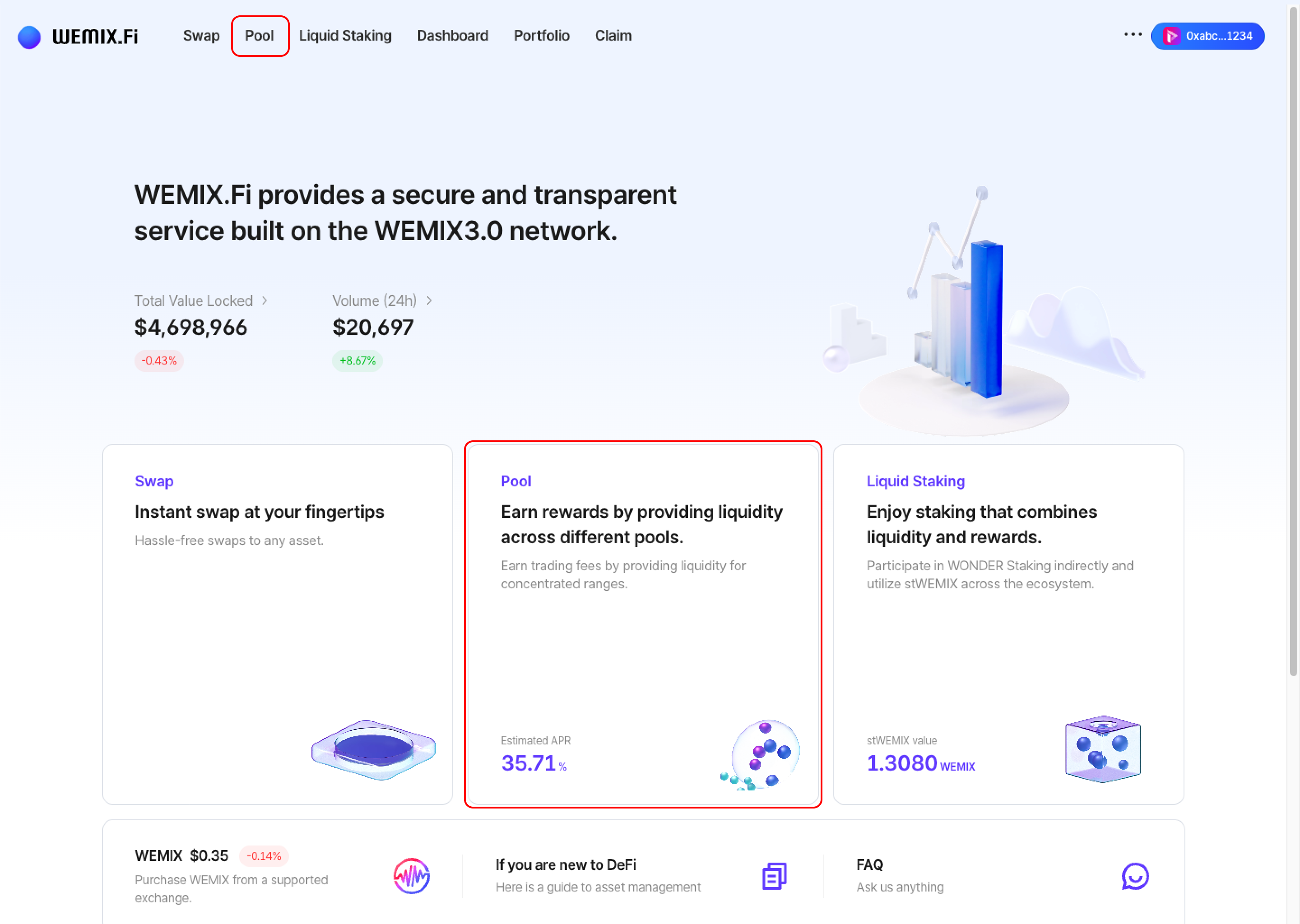
* Connect a wallet to WEMIX.Fi and navigate to the Pool page.
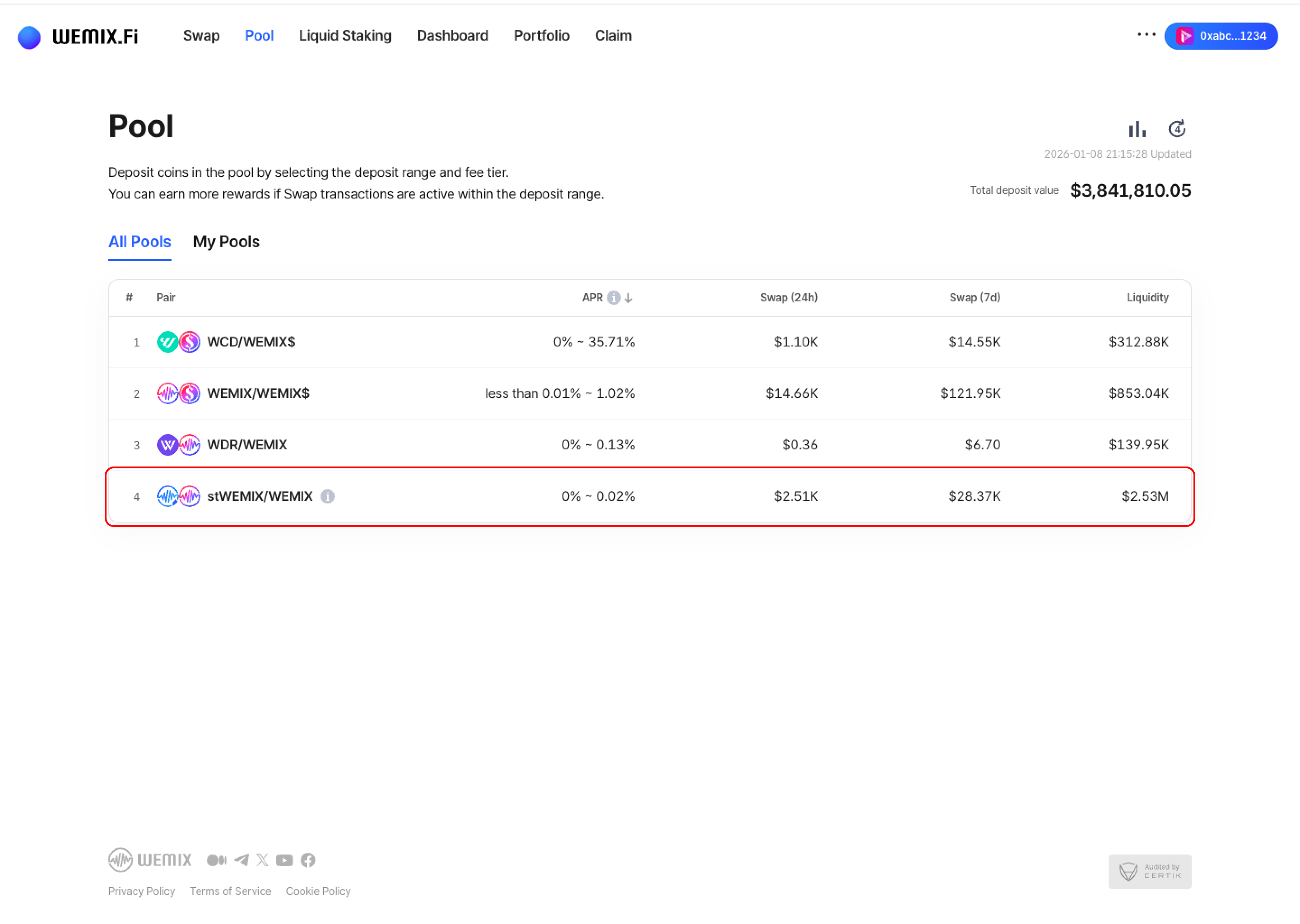
* Browse available pools and select one based on liquidity depth, trading volume, and APR.
{% endstep %}
{% step %}
## Select Range Size
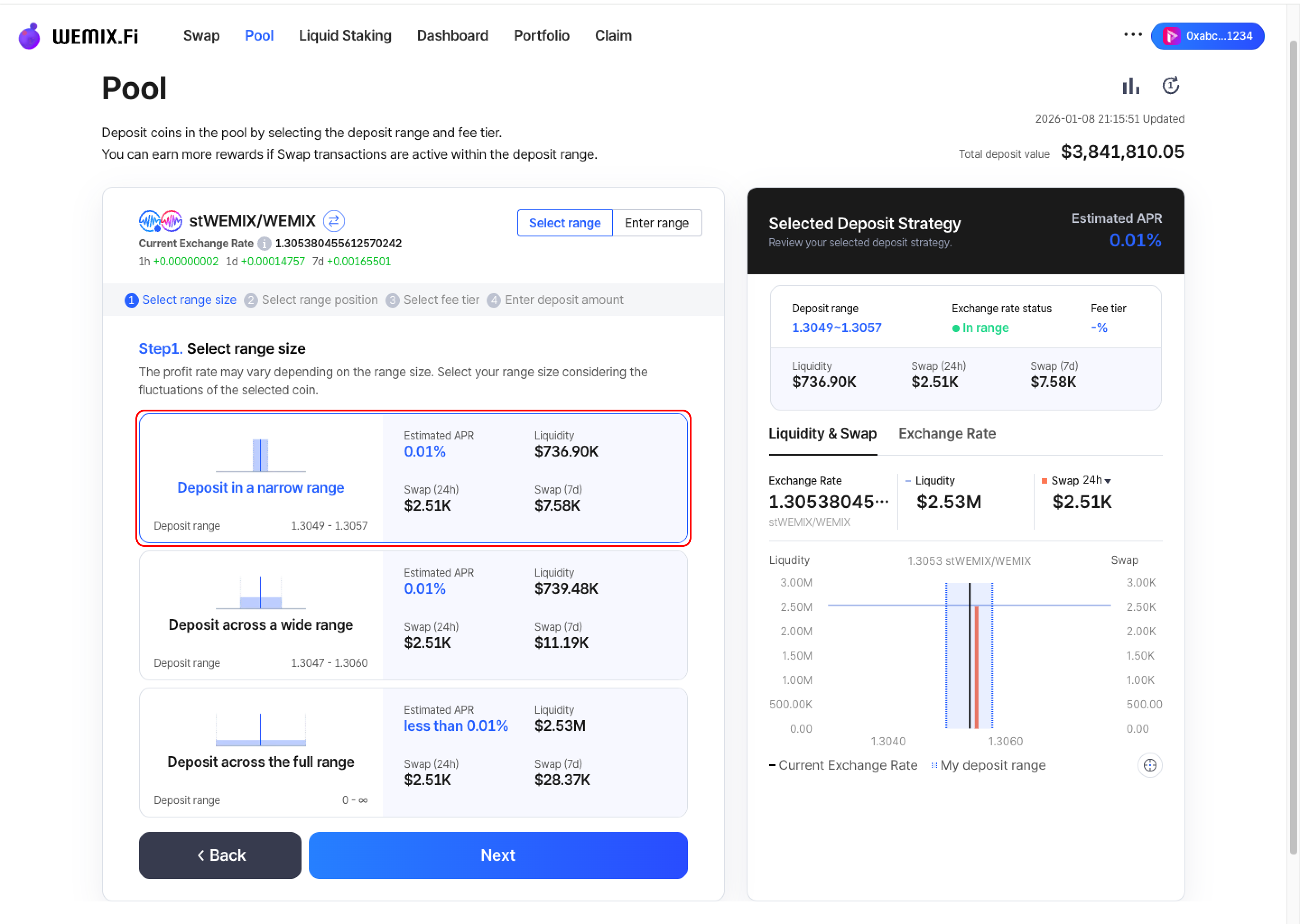
* Choose the size of the deposit range. The reward rate varies depending on range size. Consider the volatility characteristics of the selected token pair when choosing range size.
{% endstep %}
{% step %}
## Select Range Position
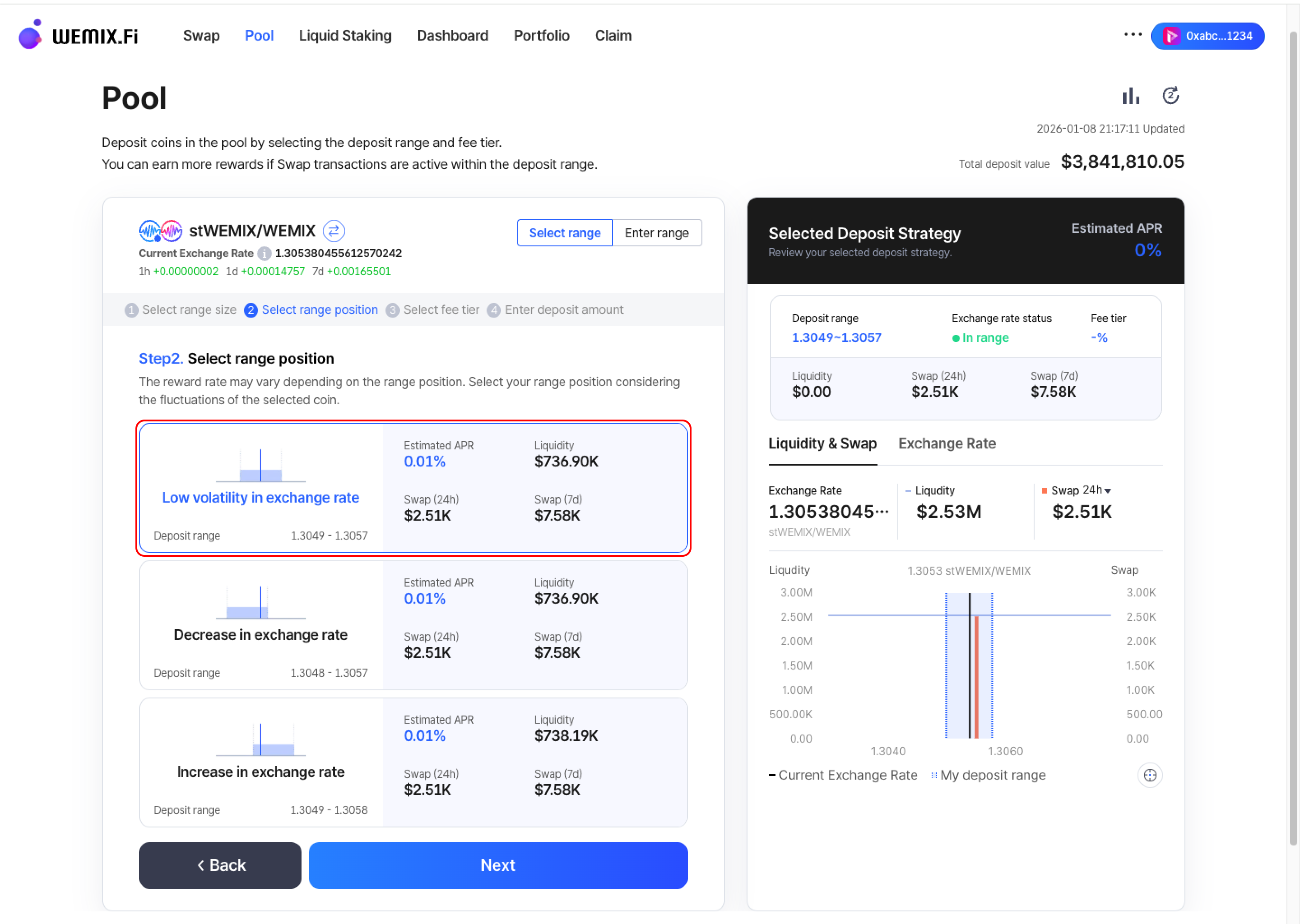
* Choose where to position the deposit range. The reward rate varies depending on range position. Select the position based on anticipated exchange rate movement of the token pair.
{% endstep %}
{% step %}
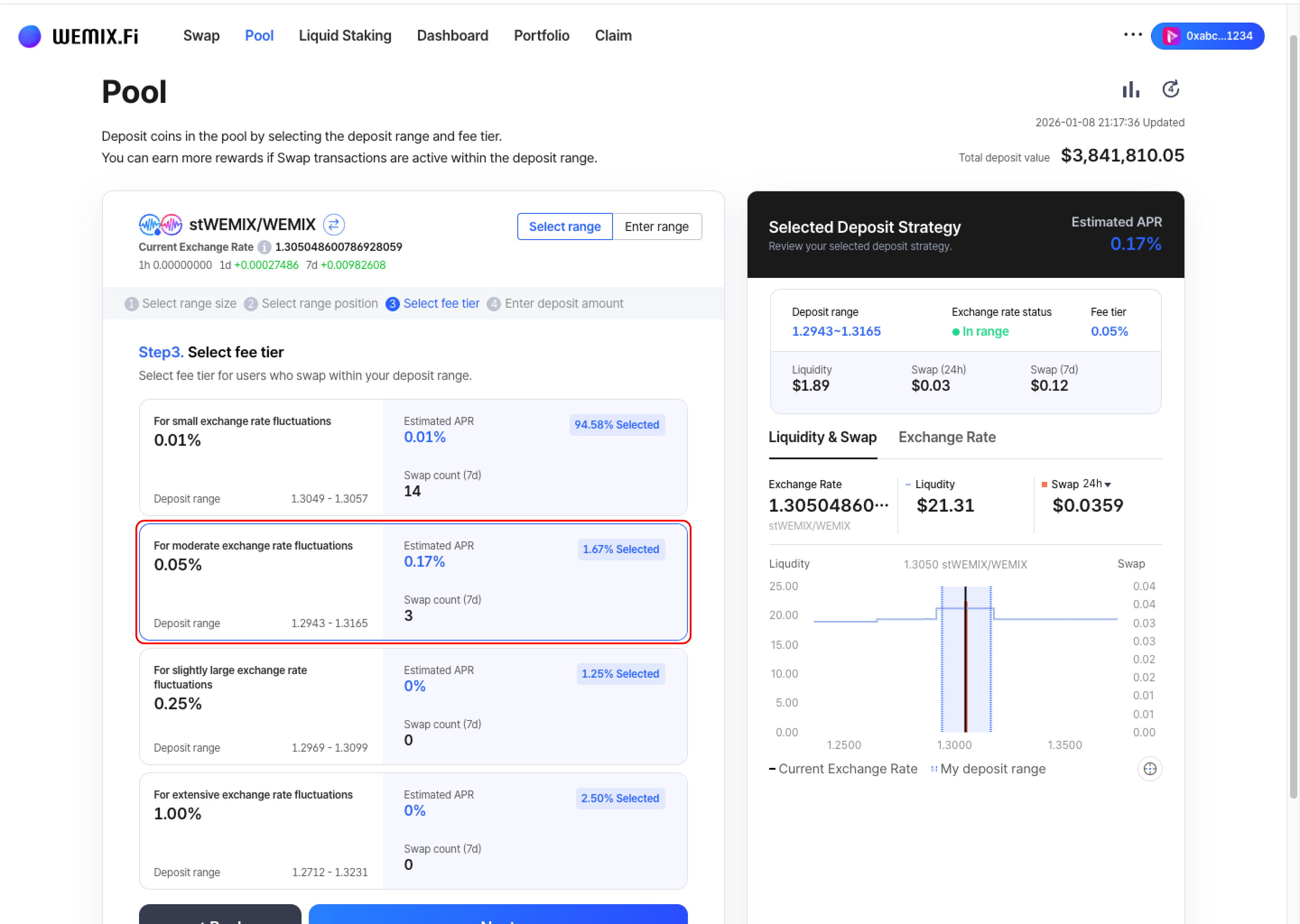
## Select Fee Tier
* Choose the fee tier to receive from users who swap within the deposit range.
{% endstep %}
{% step %}
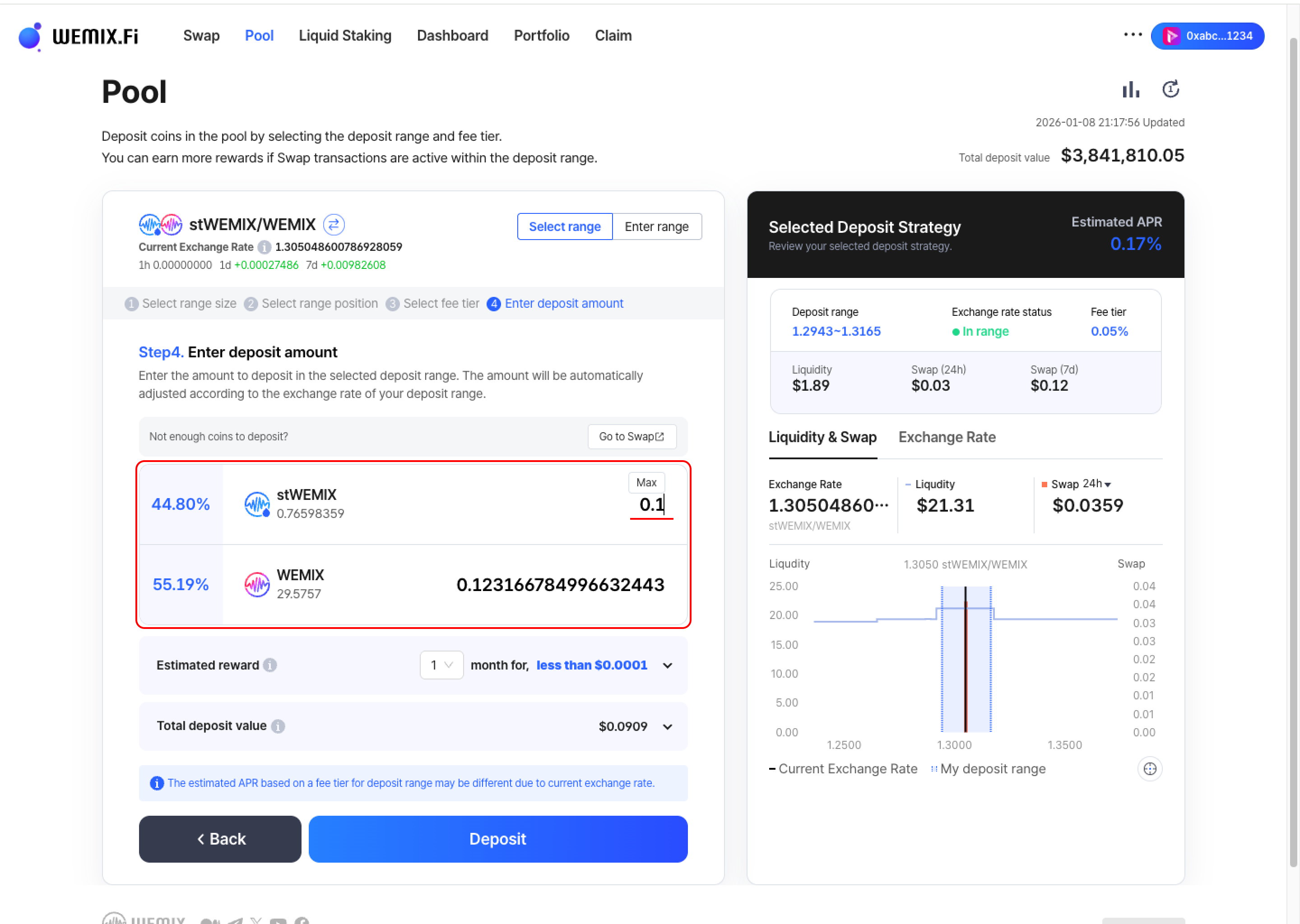
## Enter Deposit Amount
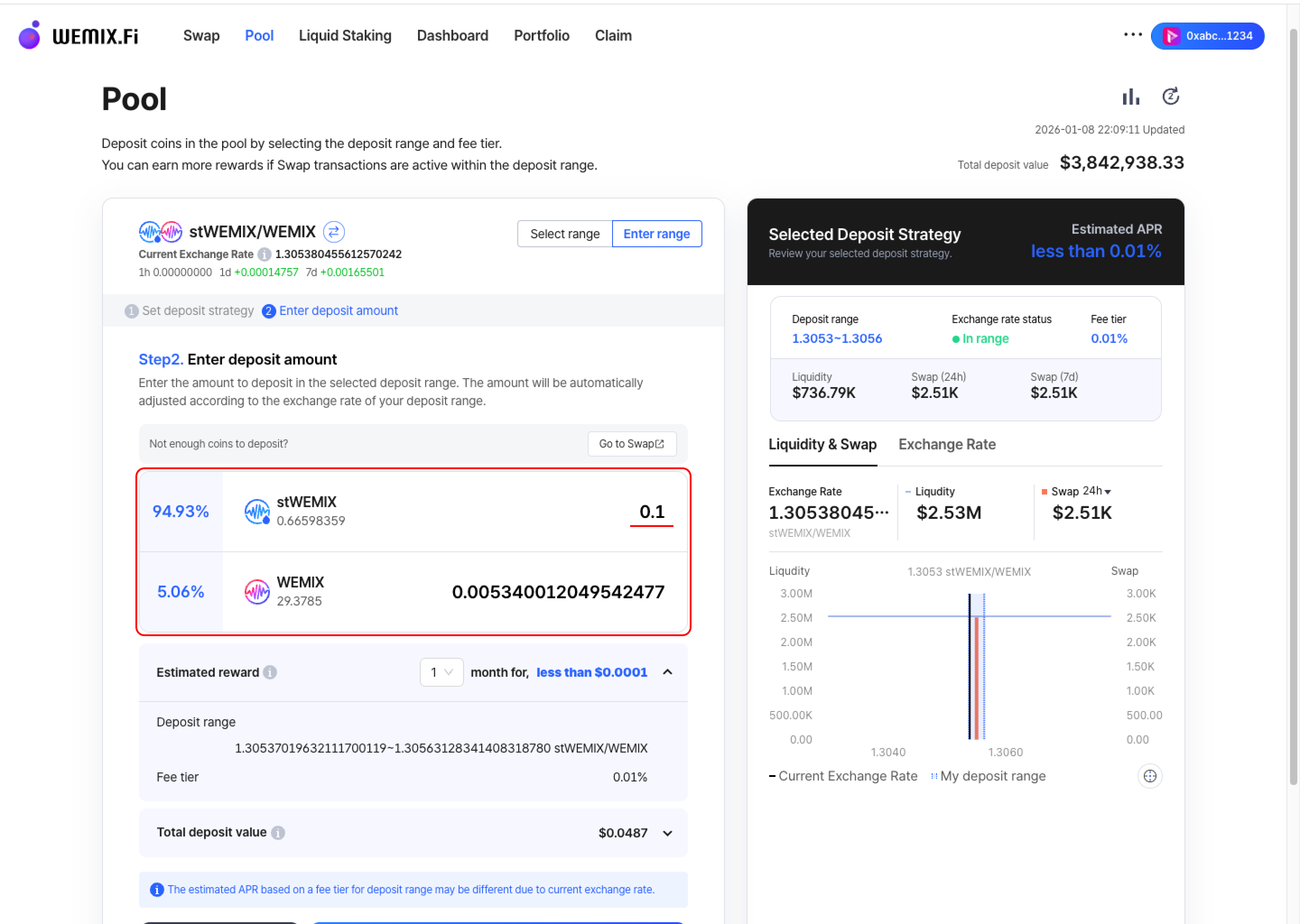
* Input the amount to deposit in the selected range. The amount will be automatically adjusted according to the exchange rate of the deposit range.
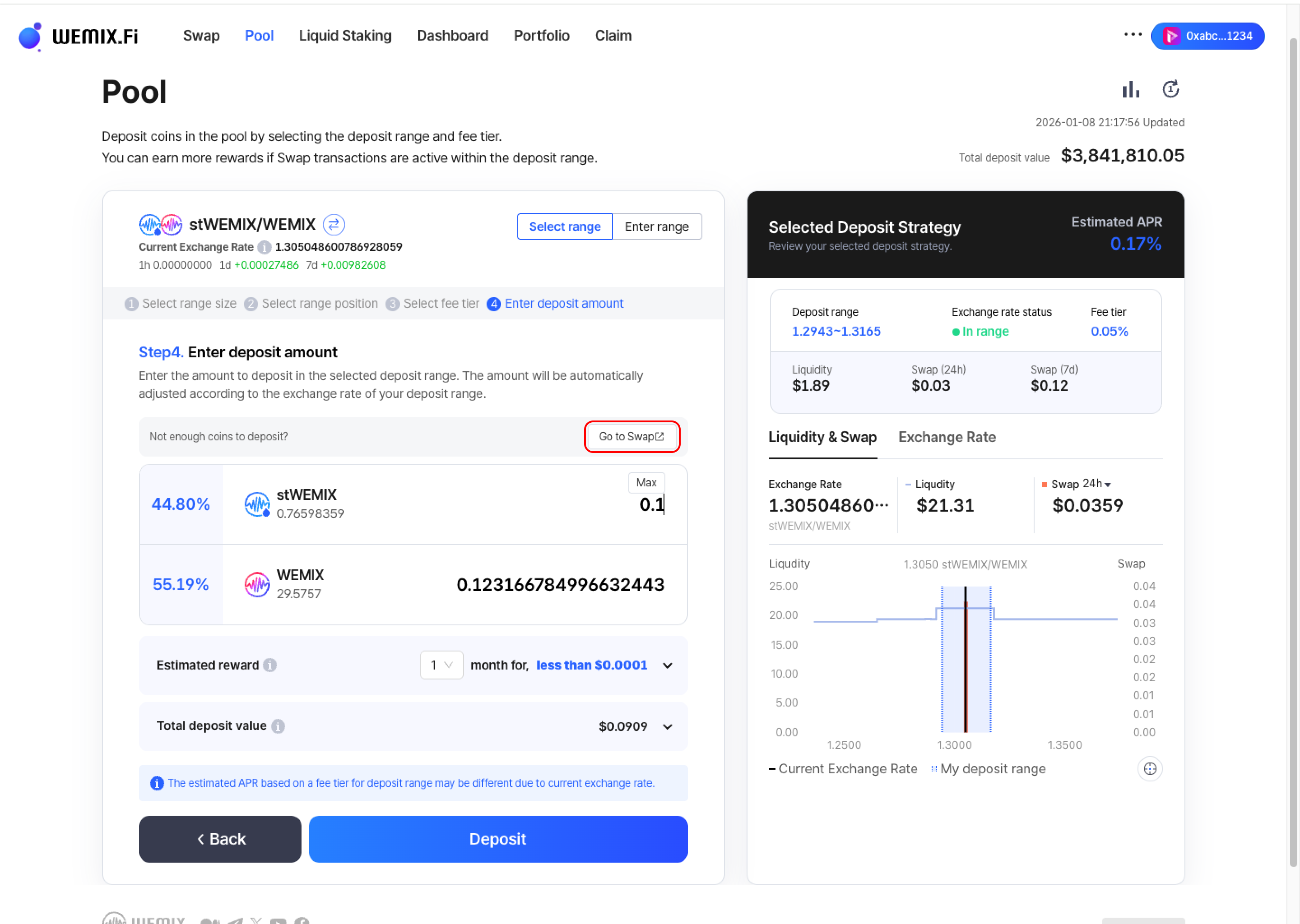
* If wallet balances are insufficient, additional tokens can be acquired through the Swap feature. The interface displays estimated rewards and total deposit value.
{% endstep %}
{% step %}
## Executing the Transaction
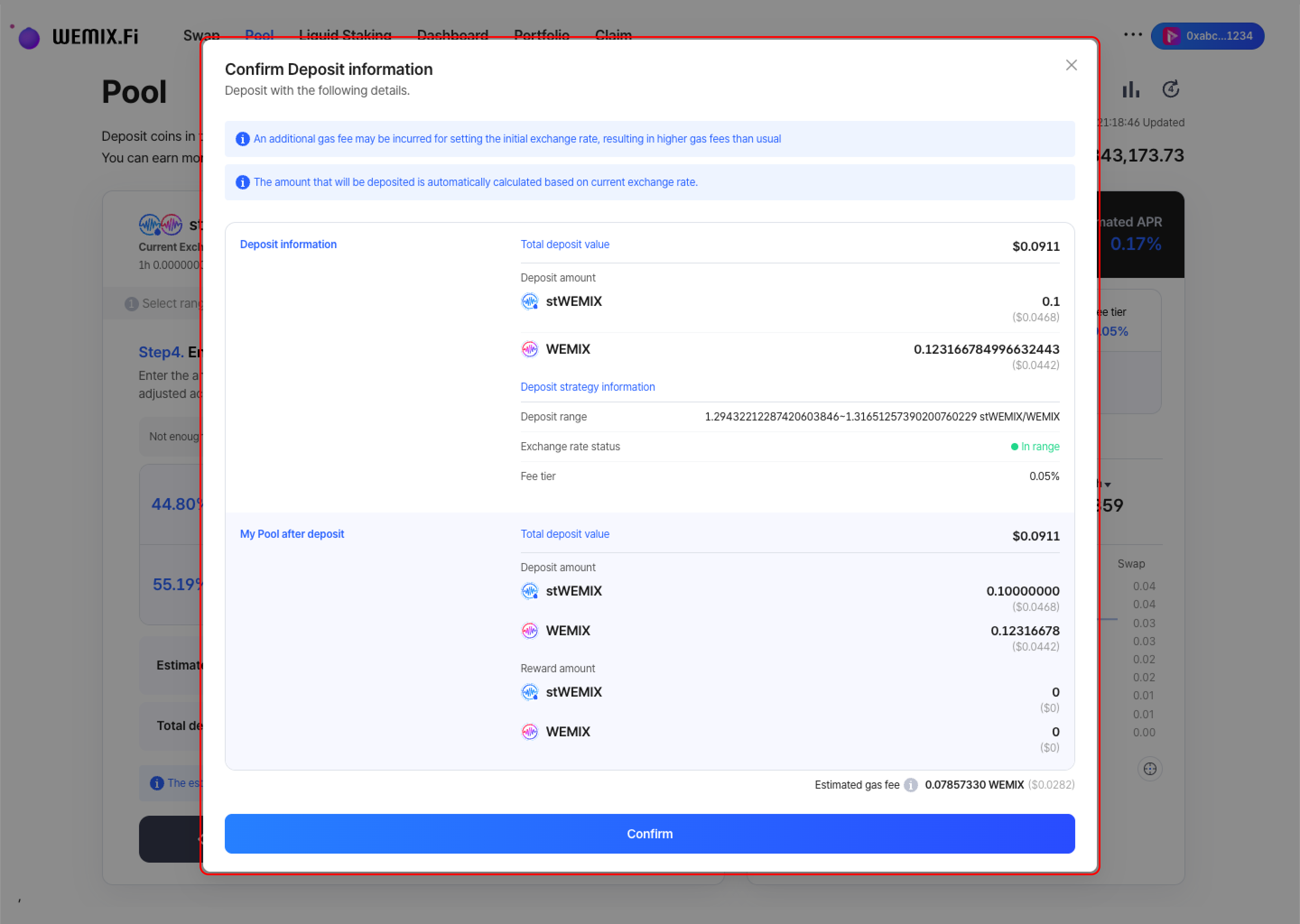
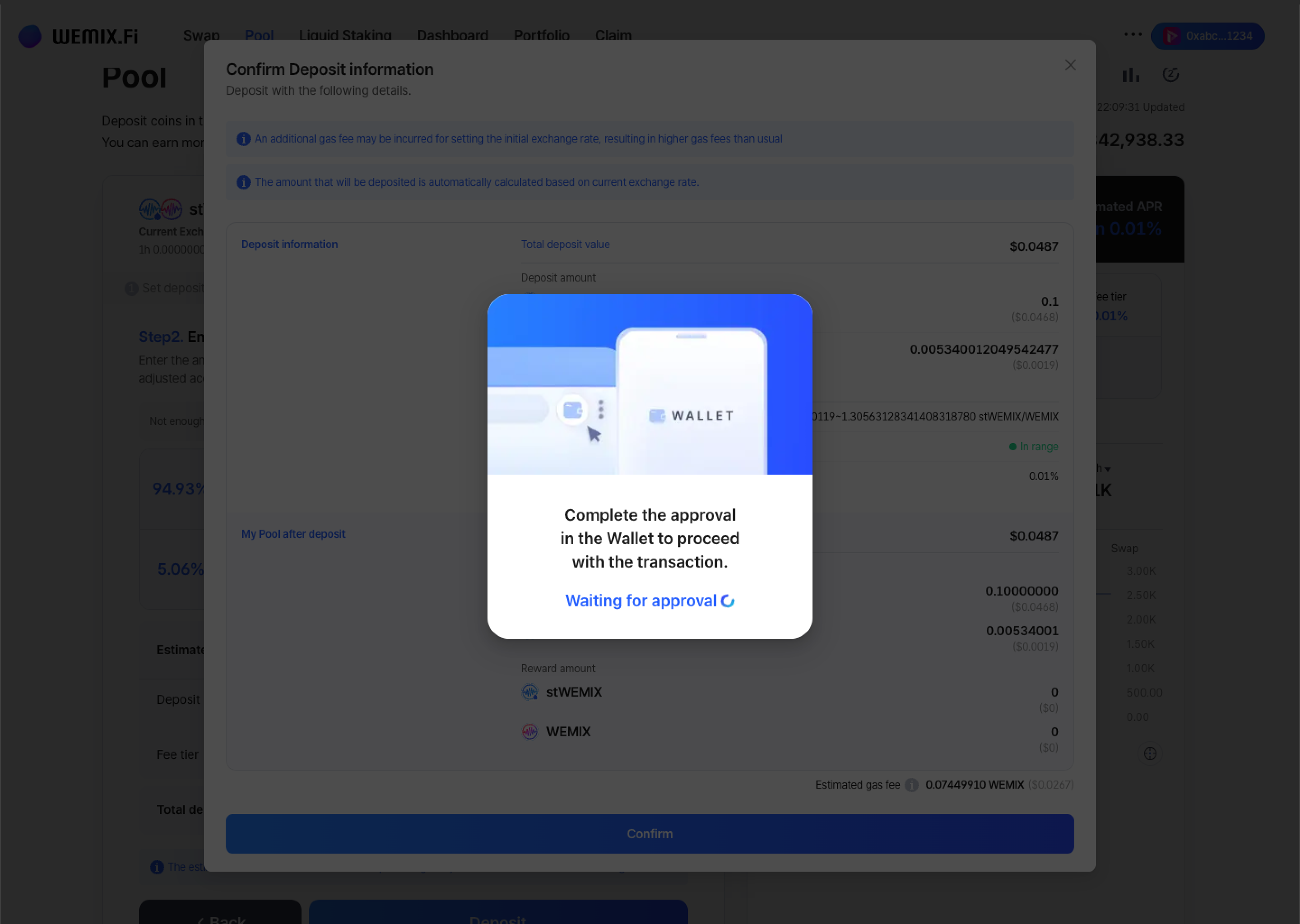
* Review all position parameters and confirm.
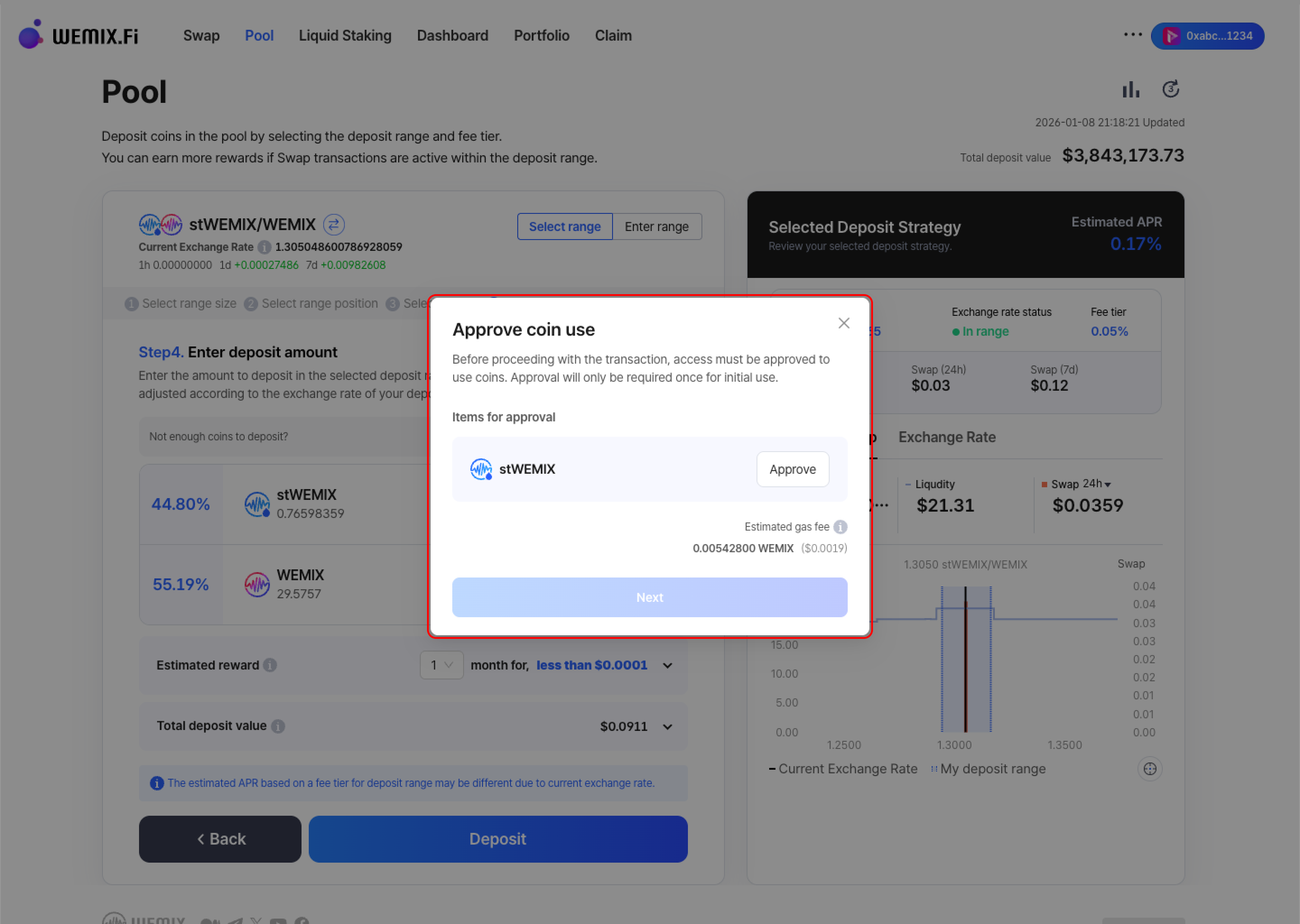
* The wallet requests approval - first-time deposits for specific tokens require additional contract approval.
* After approval, the transaction processes on the blockchain.
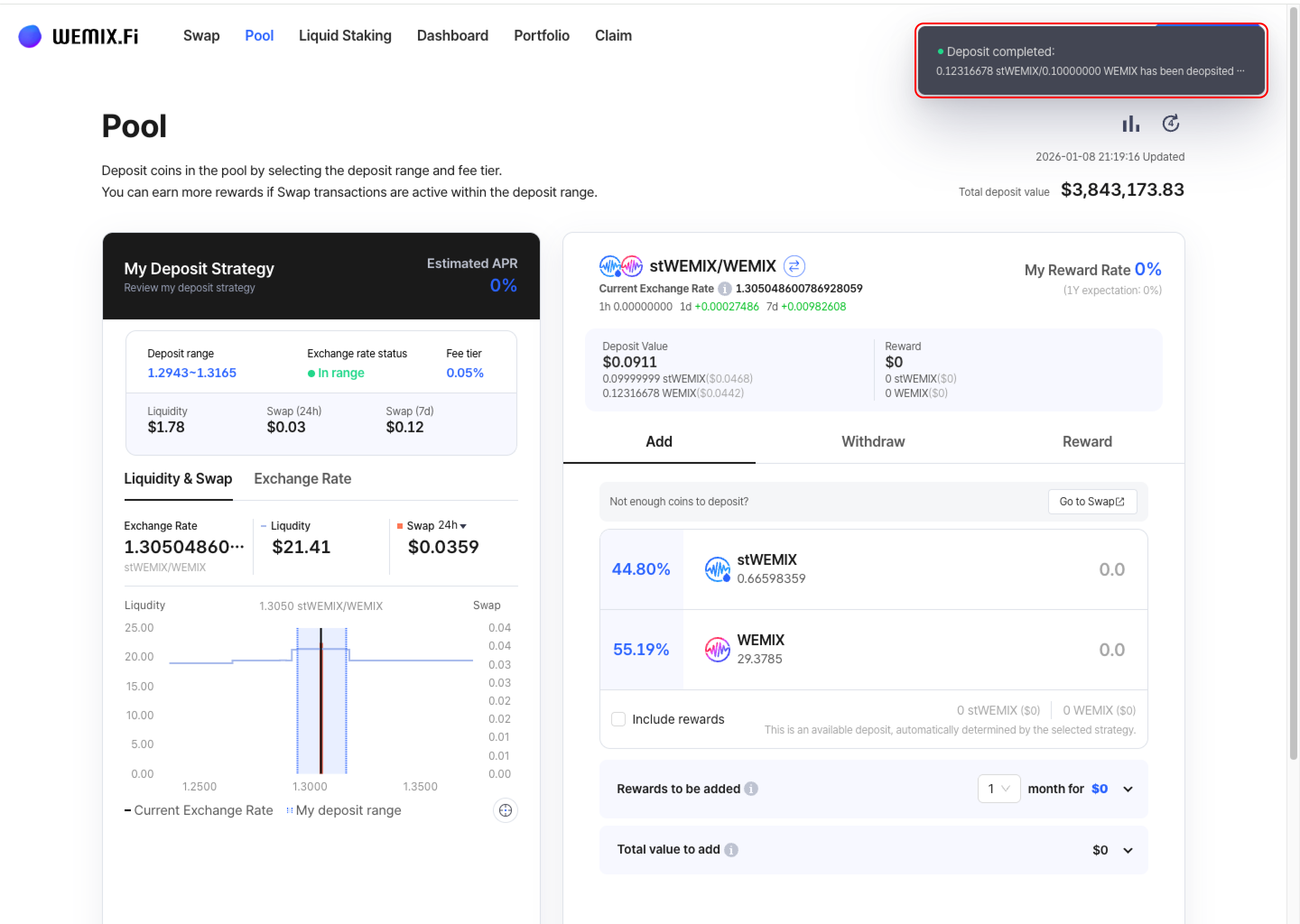
* A confirmation notification appears upon successful deposit creation.
{% endstep %}
{% endstepper %}
***
## Depositing with Manual Configuration
{% stepper %}
{% step %}
### Set Deposit Strategy
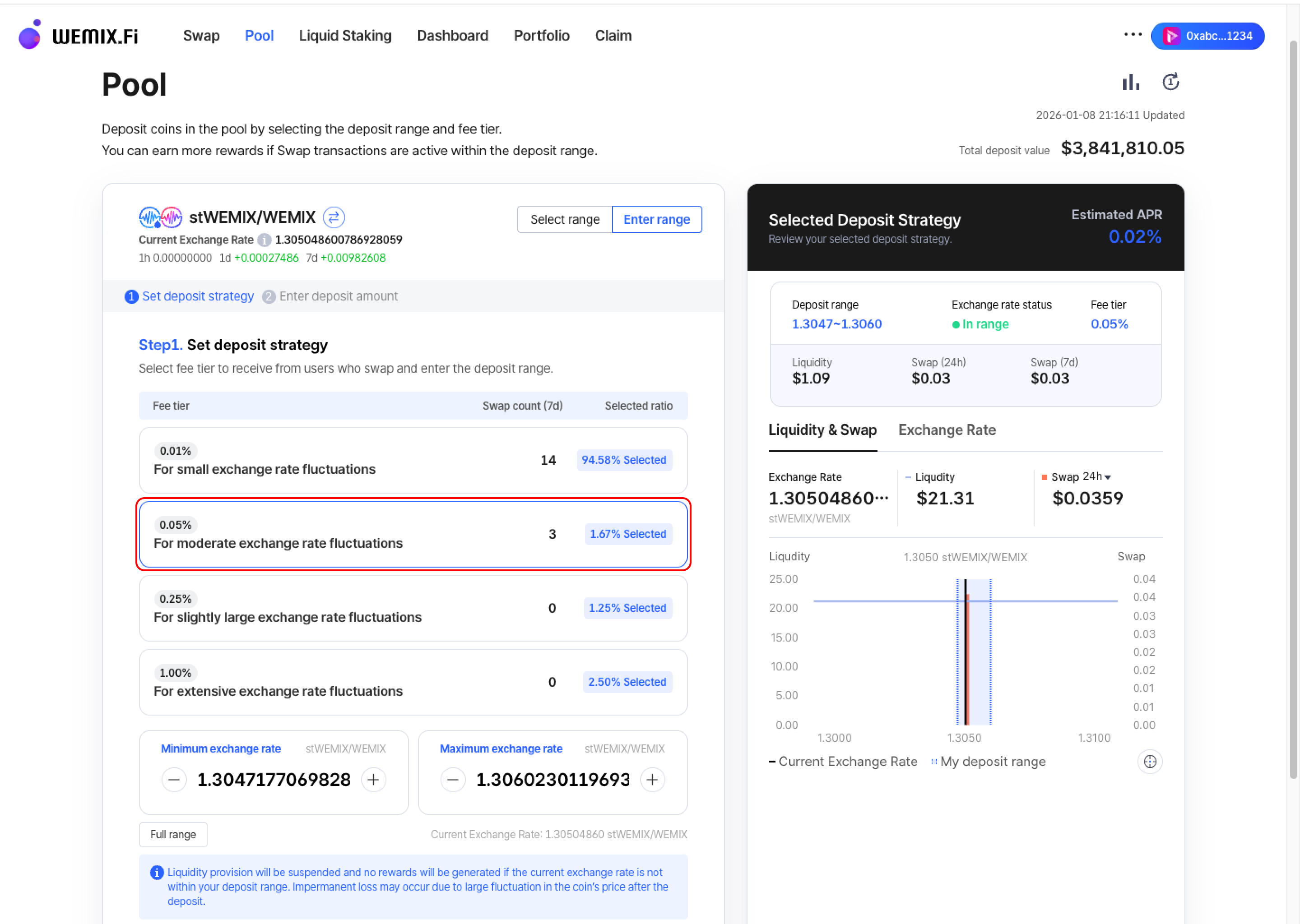
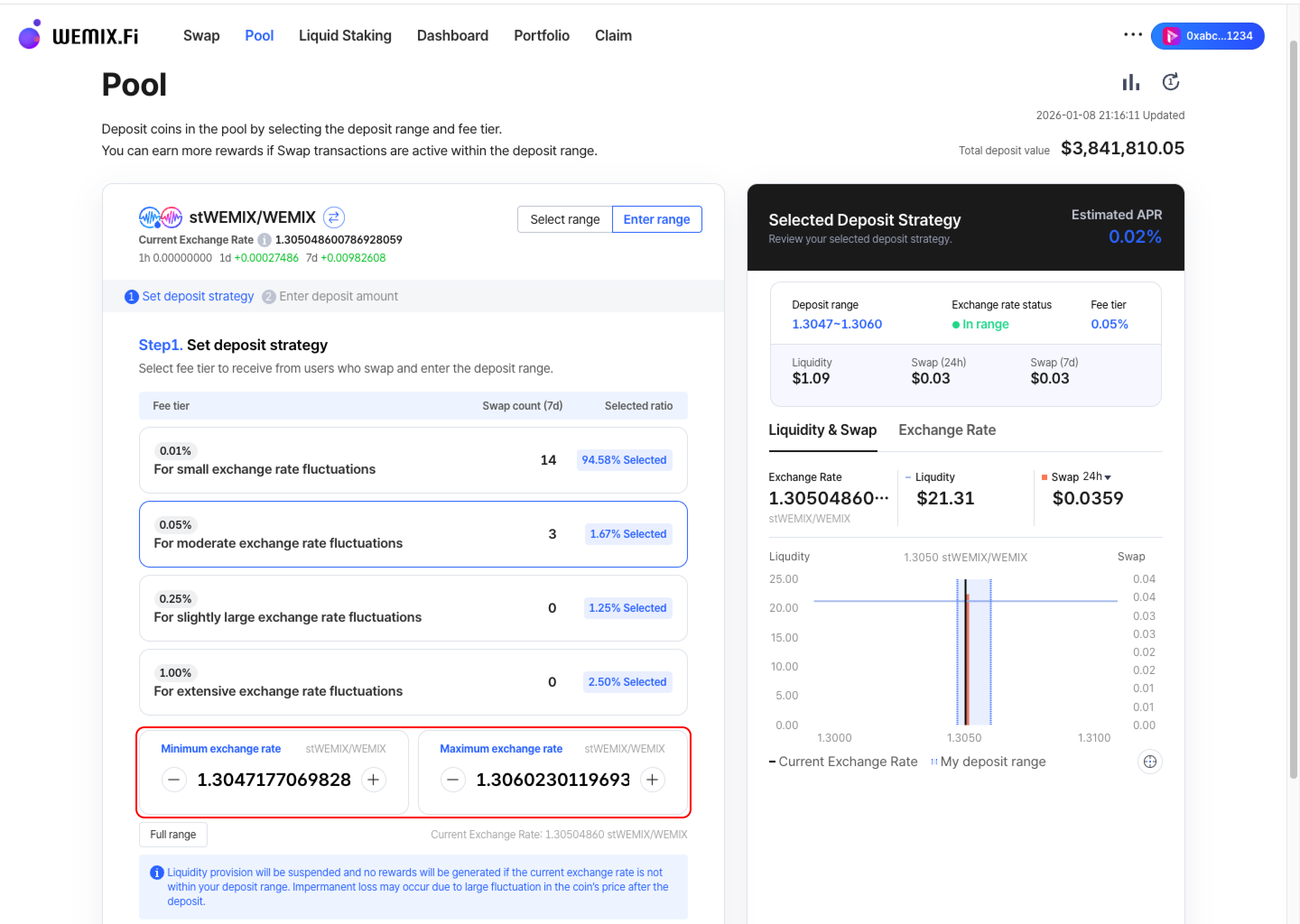
* Select the fee tier to receive from users who swap. Choose from 0.01%, 0.05%, 0.25%, or 1.00%.
* After selecting the fee tier, manually configure the deposit range by adjusting the minimum and maximum exchange rates.
{% endstep %}
{% step %}
### Enter Deposit Amount
* Input the amount to deposit in the configured range. The amount will be automatically adjusted according to the exchange rate of the deposit range.
{% hint style="info" %}
Follow the same execution and confirmation process as Preset Options
{% endhint %}
{% endstep %}
{% endstepper %}
***
## Transaction History
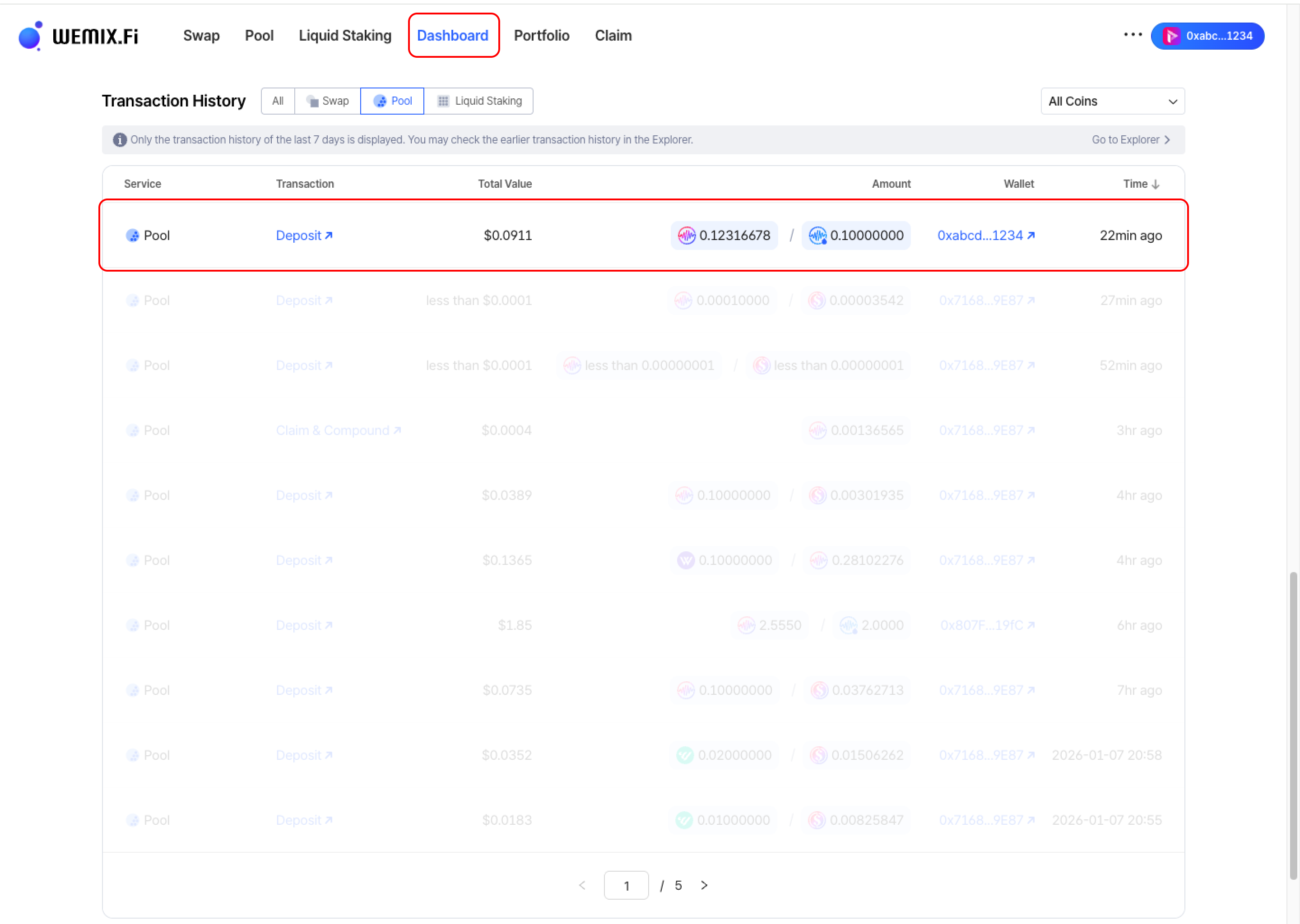
* Completed deposits appear in the Dashboard's Transaction History.
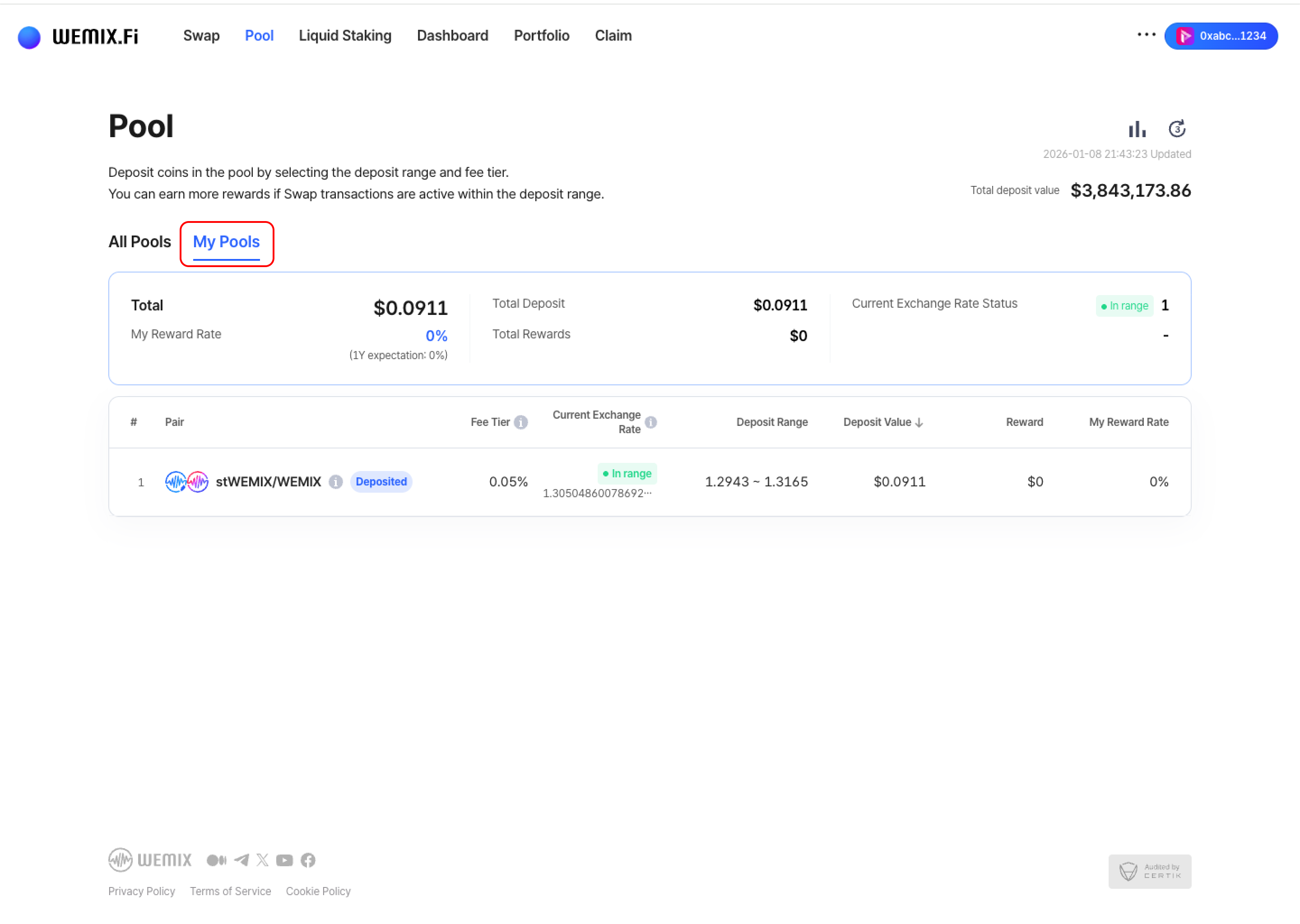
* Active positions can be viewed and managed in the Pool page's 'My Pools' list.