> For the complete documentation index, see [llms.txt](https://docs.wemix.fi/llms.txt). Markdown versions of documentation pages are available by appending `.md` to page URLs; this page is available as [Markdown](https://docs.wemix.fi/guides/pool/withdraw.md).
# Withdraw
The Withdraw feature enables removing tokens from liquidity pools on WEMIX.Fi. This guide walks through the complete process of withdrawing a liquidity position.
{% hint style="info" %}
#### Prerequsites
Required items for Withdraw:
* Web3 wallet (WemixPLAY, MetaMask) set up for WEMIX3.0 network
* Active liquidity position in a pool
* Native WEMIX to pay network transaction fees
{% endhint %}
***
{% stepper %}
{% step %}
## Selecting a Position
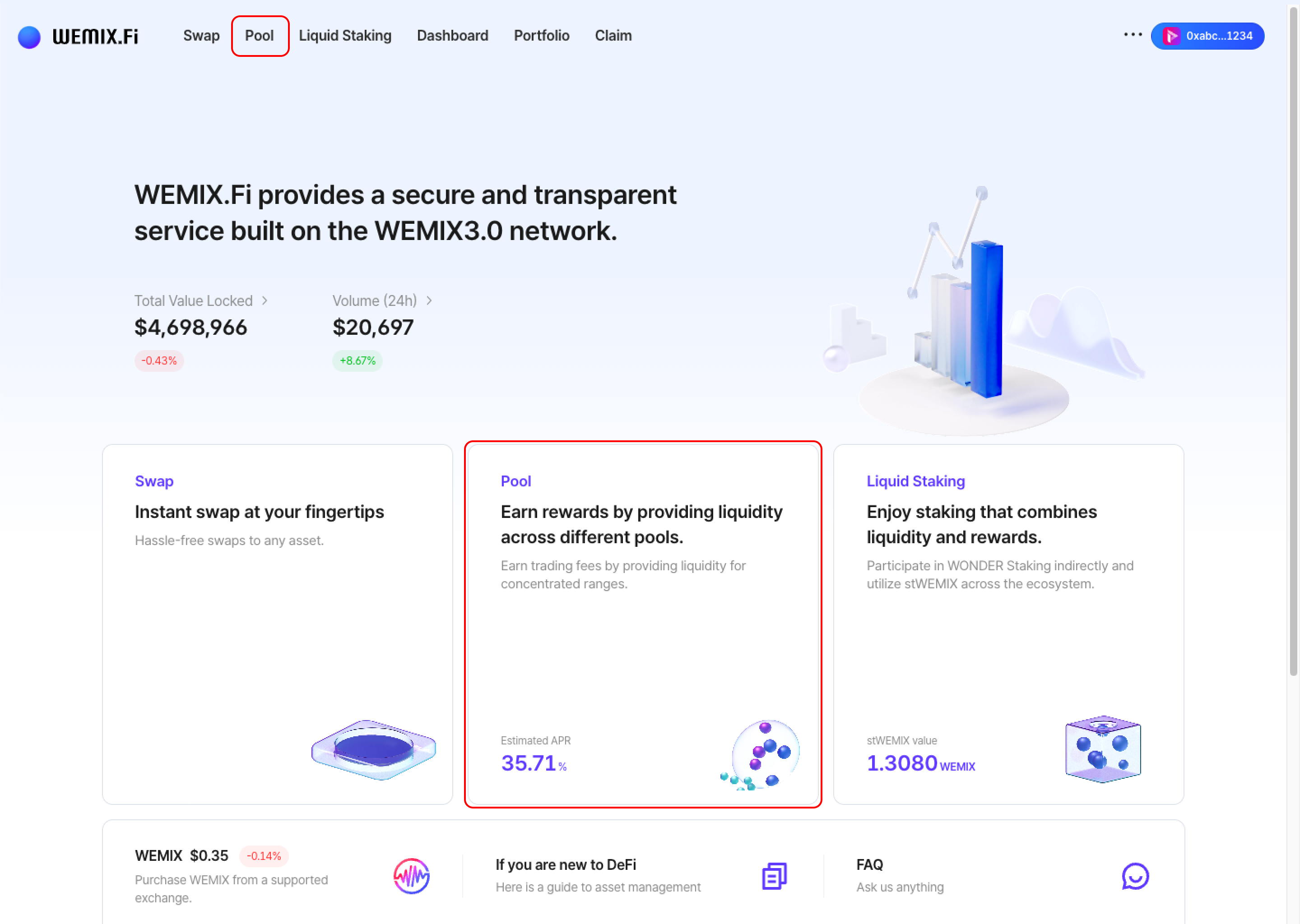
* Connect a wallet to WEMIX.Fi and navigate to the Pool page.
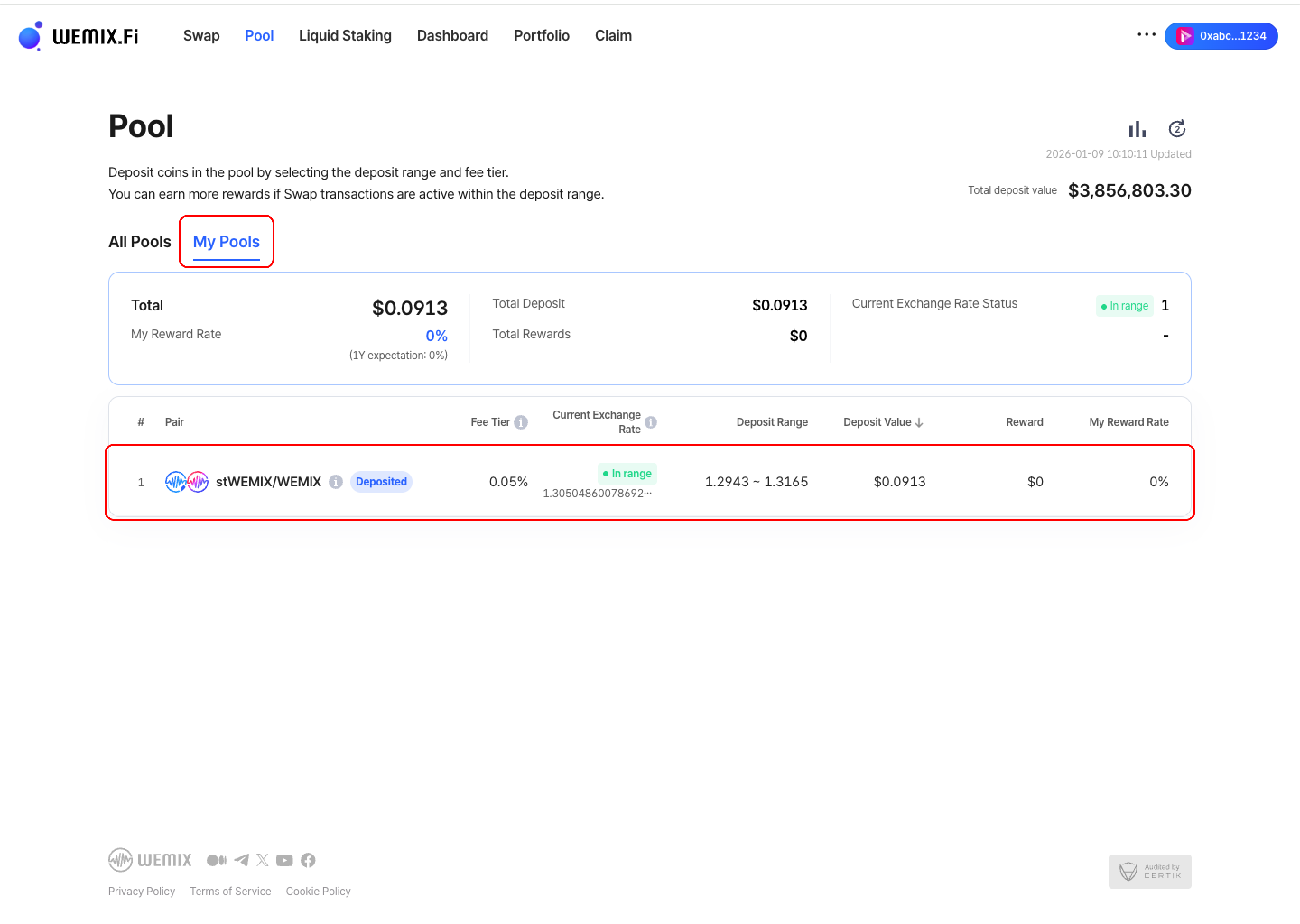
* Access 'My Pools' to view active liquidity positions. Select the position to withdraw.
{% endstep %}
{% step %}
## Enter Withdrawal Amount
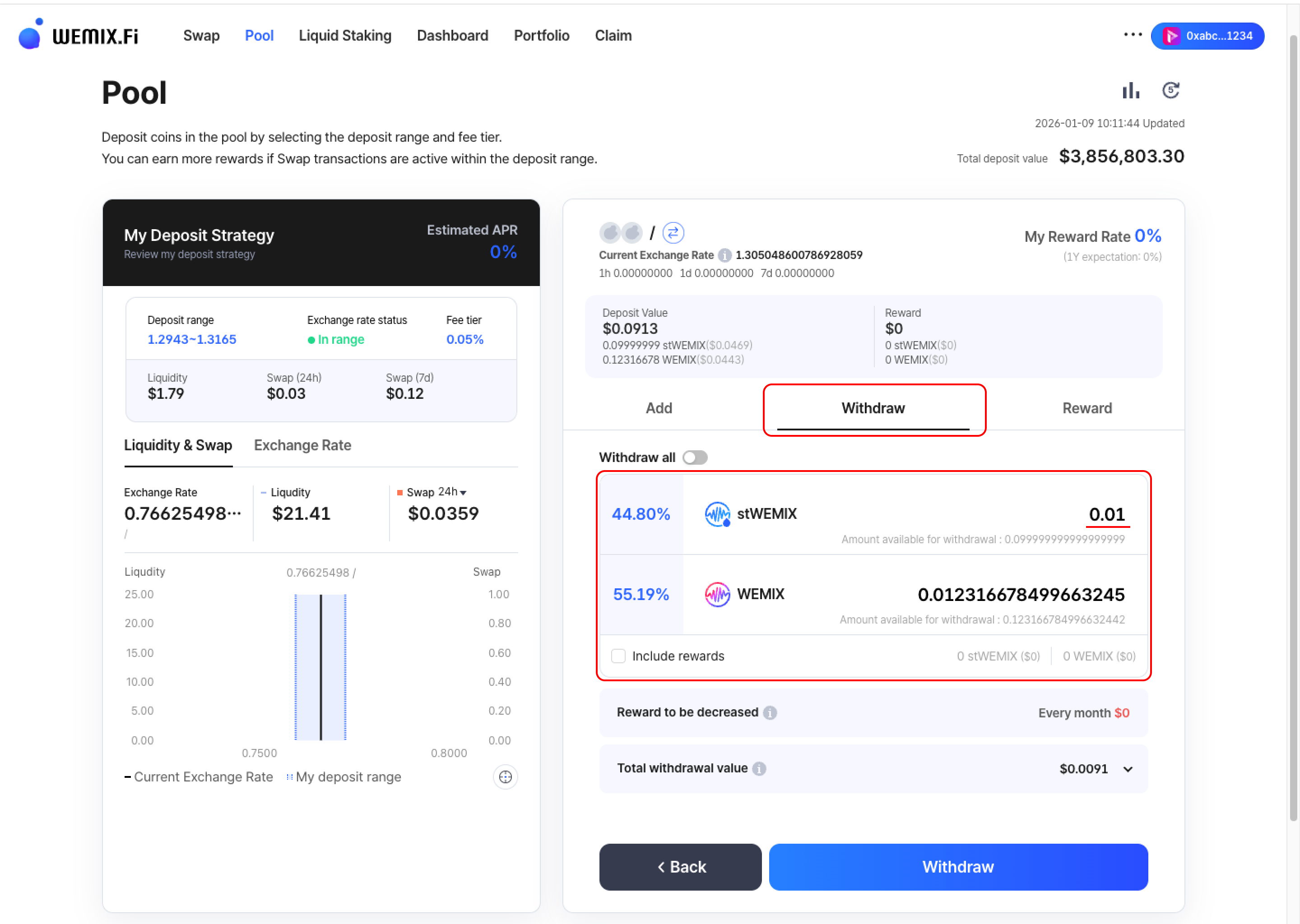
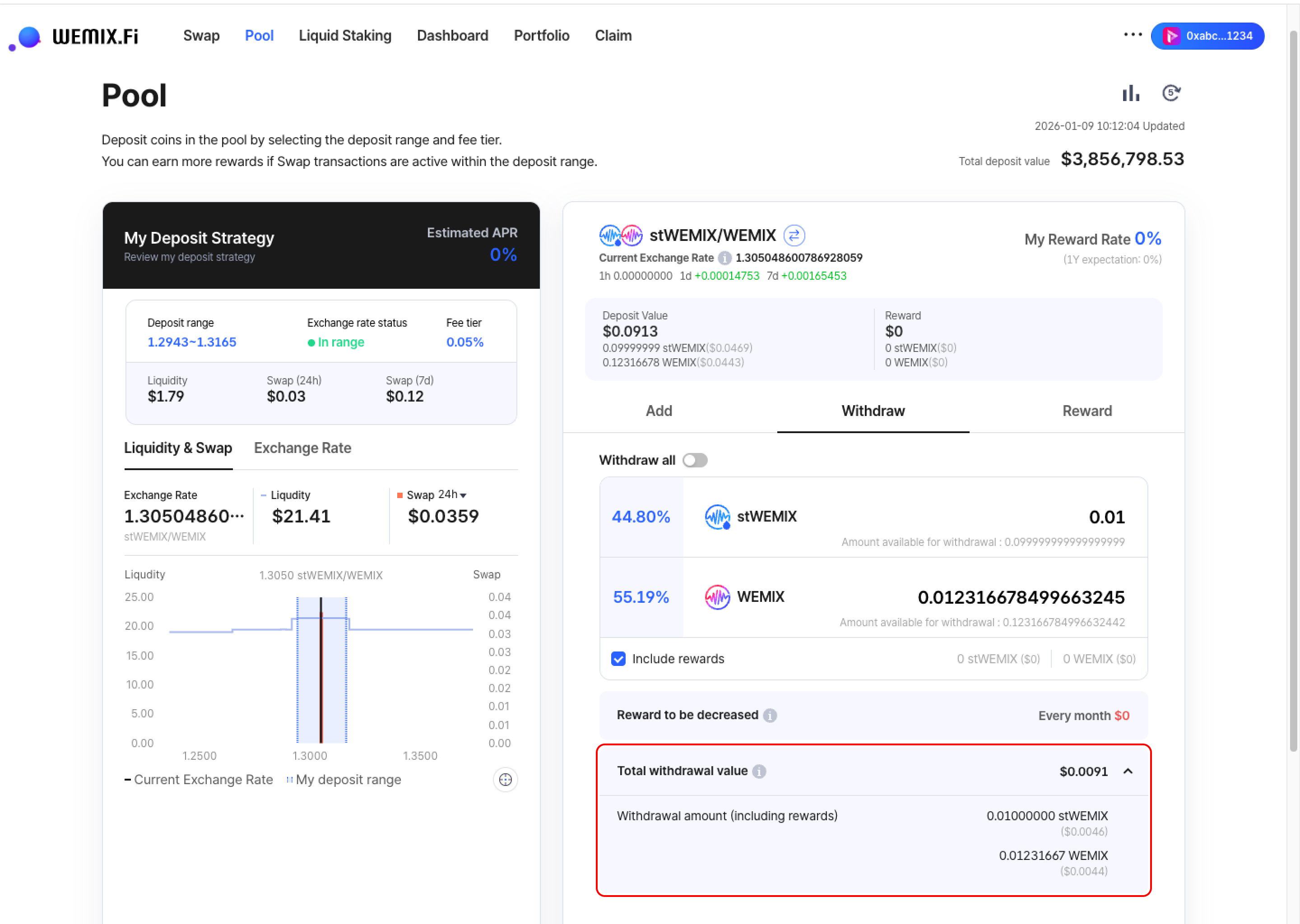
* Input the amount to withdraw from the selected position.
{% hint style="info" %}
#### Withdrawal Options
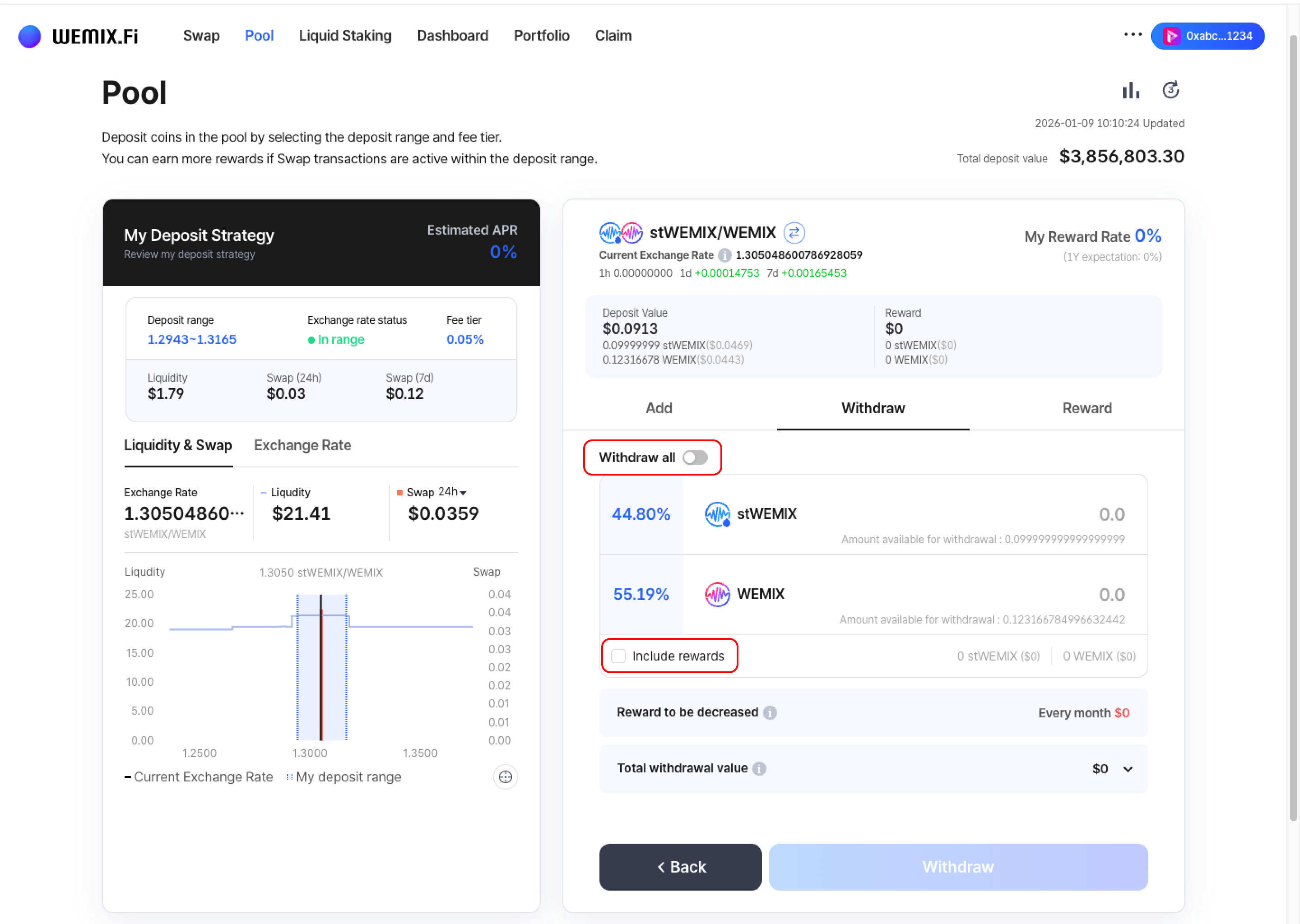
* Withdraw all: Toggle to withdraw the entire position
* Include rewards: Select to include accumulated rewards in the withdrawal
{% endhint %}
{% endstep %}
{% step %}
## Confirm Total Withdrawal Value
* Review the total withdrawal value before proceeding. The interface displays:
* Withdrawal amount (includes rewards if 'Include rewards' is selected)
* Total value in USD equivalent
{% endstep %}
{% step %}
## Executing the Transaction
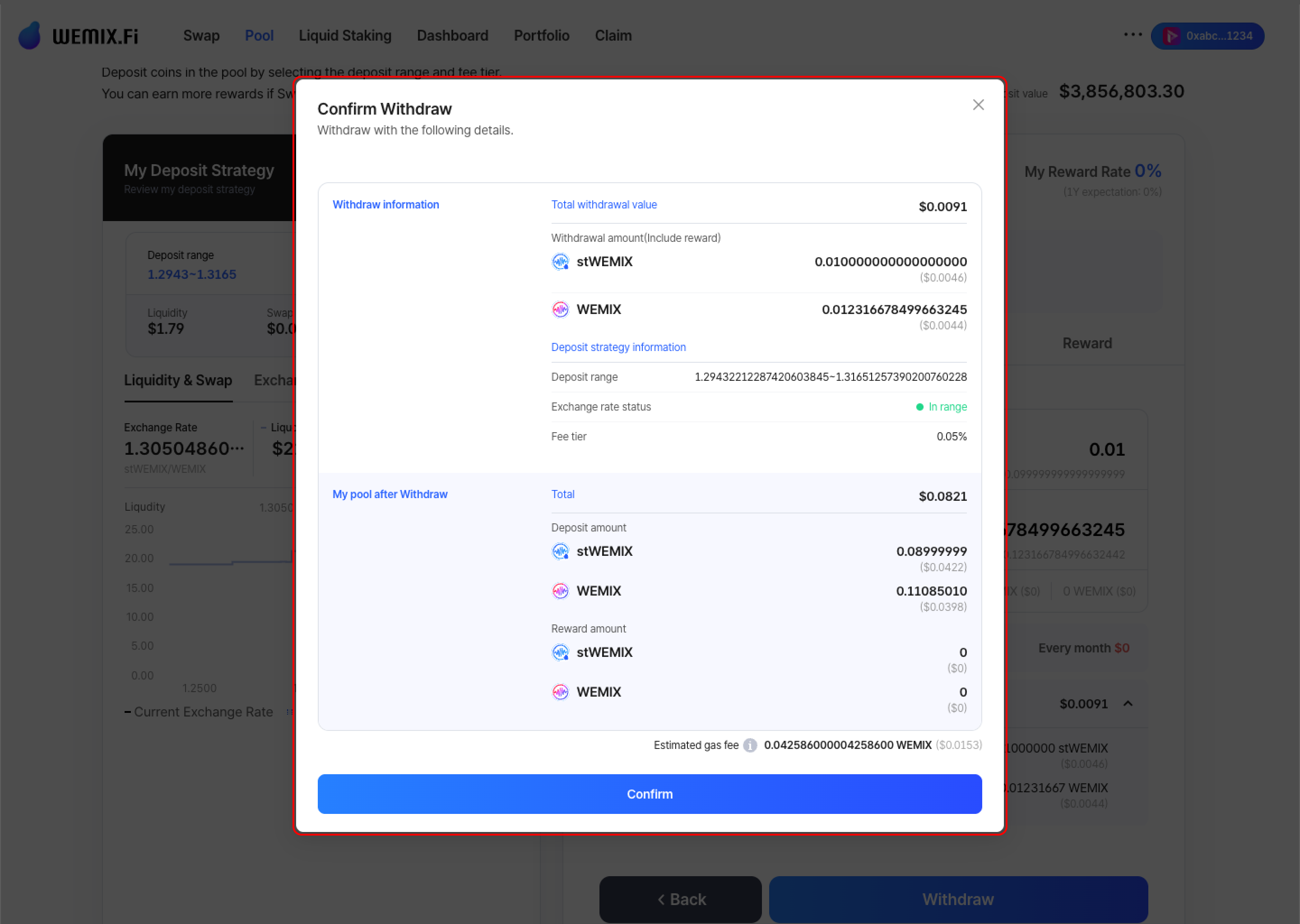
* Review all withdrawal details and confirm.
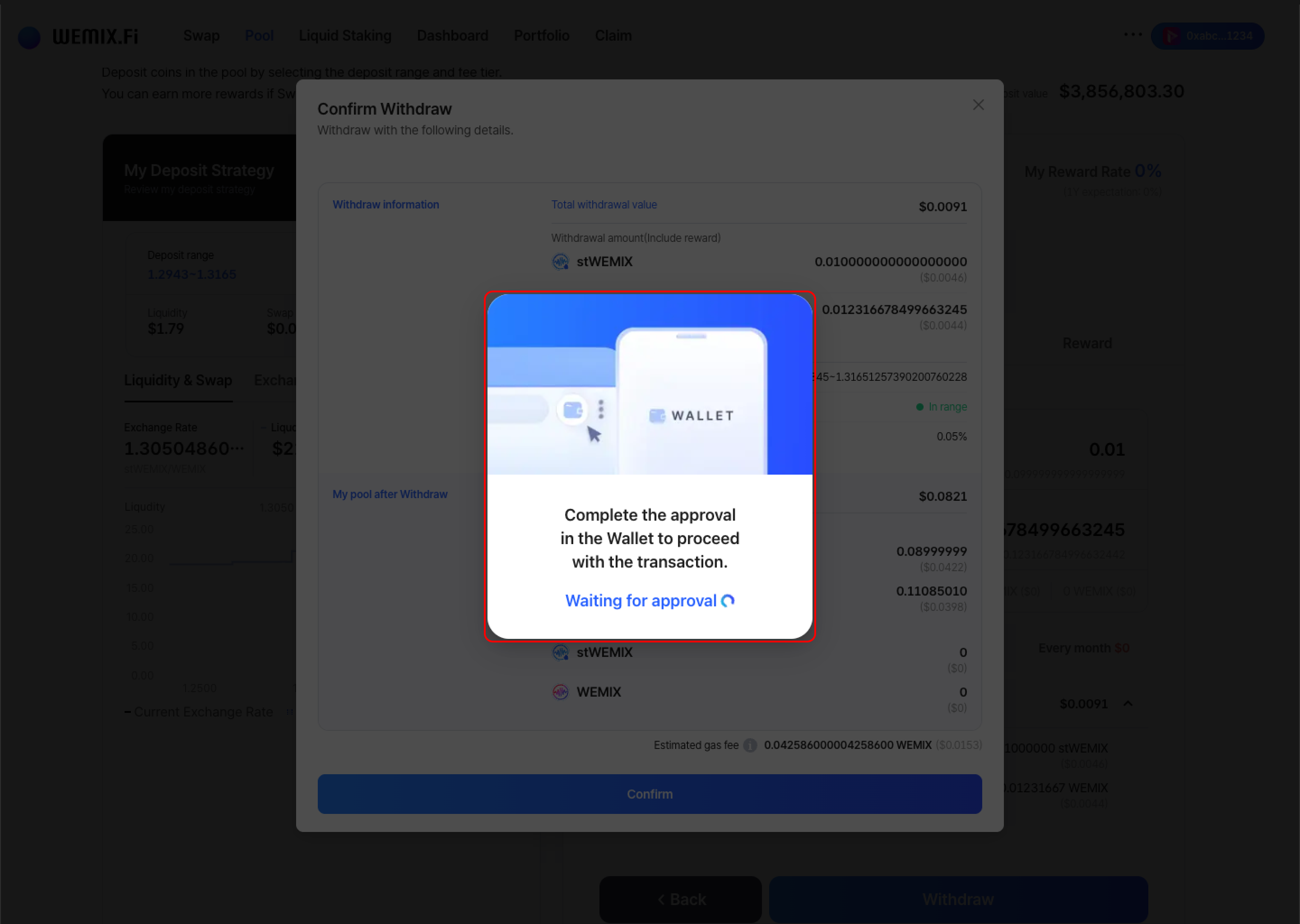
* The wallet requests approval to process the withdrawal. After approval, the transaction processes on the blockchain.
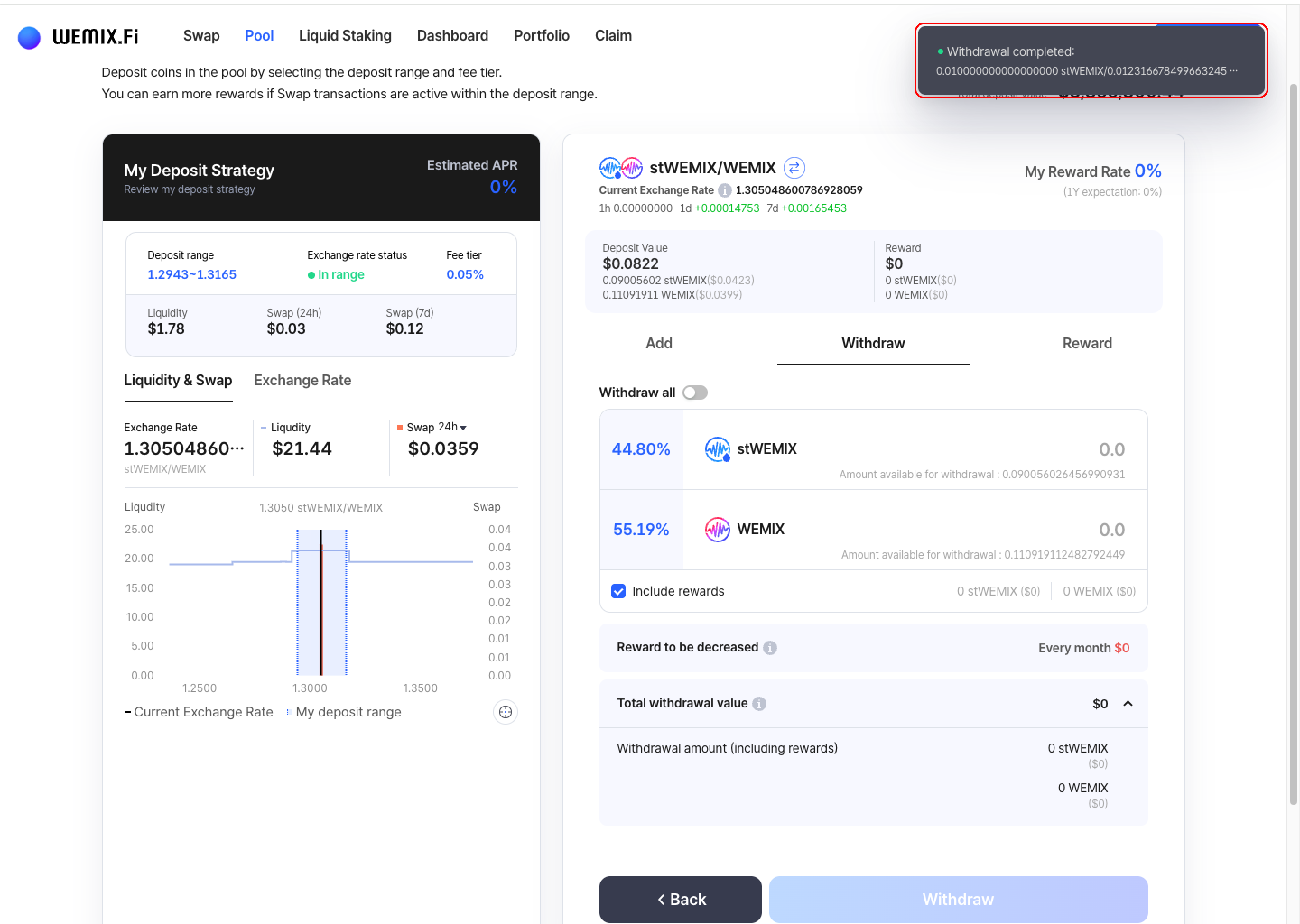
* A confirmation notification appears upon successful withdrawal.
{% endstep %}
{% endstepper %}
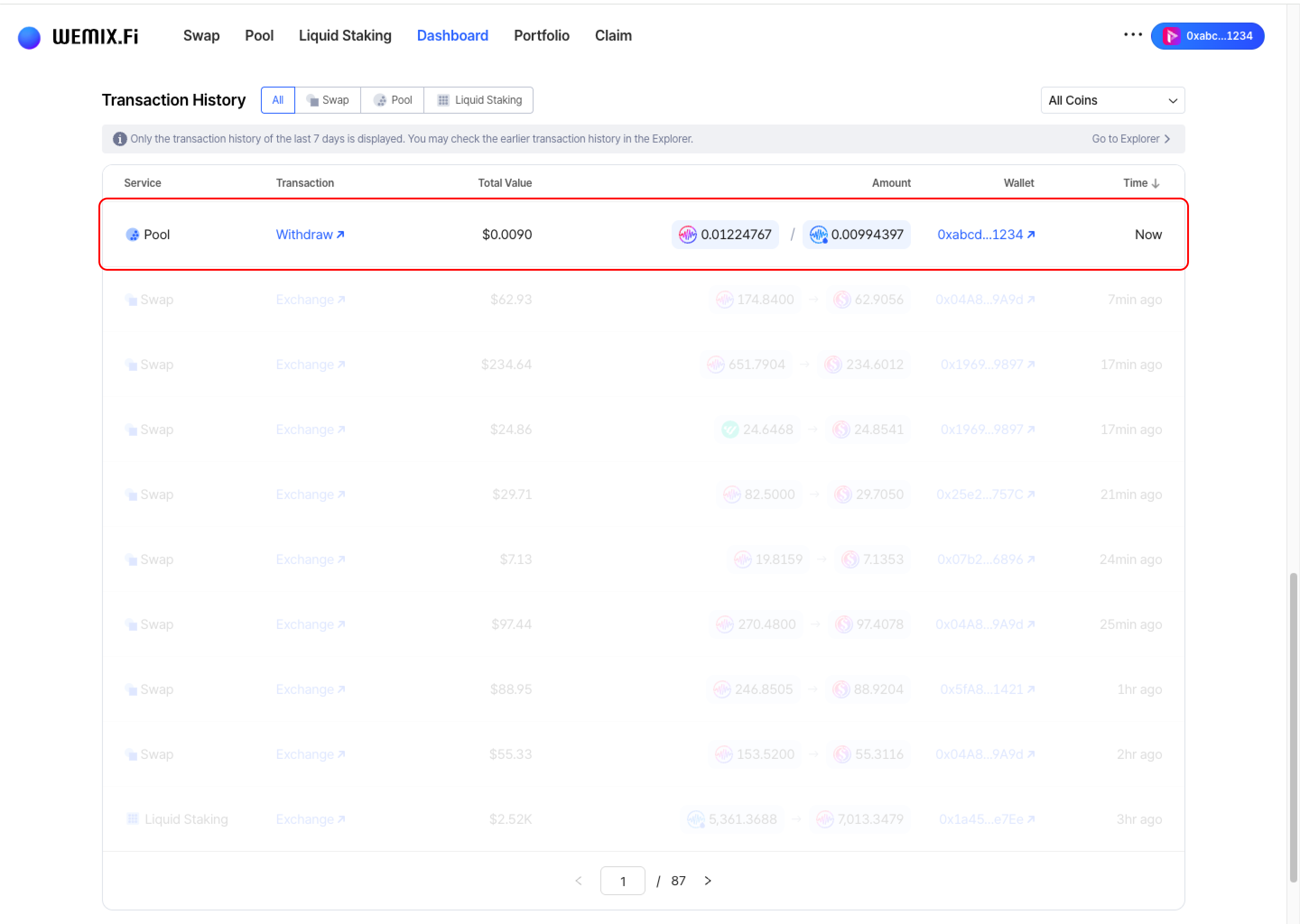
## Transaction History
* Completed withdrawals appear in the Dashboard's Transaction History.