> For the complete documentation index, see [llms.txt](https://docs.wemix.fi/llms.txt). Markdown versions of documentation pages are available by appending `.md` to page URLs; this page is available as [Markdown](https://docs.wemix.fi/guides/pool/withdraw.md).

# Withdraw

The Withdraw feature enables removing tokens from liquidity pools on WEMIX.Fi. This guide walks through the complete process of withdrawing a liquidity position.

{% hint style="info" %}

#### Prerequsites

Required items for Withdraw:

* Web3 wallet (WemixPLAY, MetaMask) set up for WEMIX3.0 network
* Active liquidity position in a pool
* Native WEMIX to pay network transaction fees
  {% endhint %}

***

{% stepper %}
{% step %}

## Selecting a Position

<figure><img src="https://1713088198-files.gitbook.io/~/files/v0/b/gitbook-x-prod.appspot.com/o/spaces%2FEo55jrwSeX46HoVs0pqI%2Fuploads%2FyolDX0gcM9Cz8Dft0wog%2Fimage.png?alt=media&amp;token=4eb2b360-5b02-4dac-82cc-052f28a9620c" alt=""><figcaption></figcaption></figure>

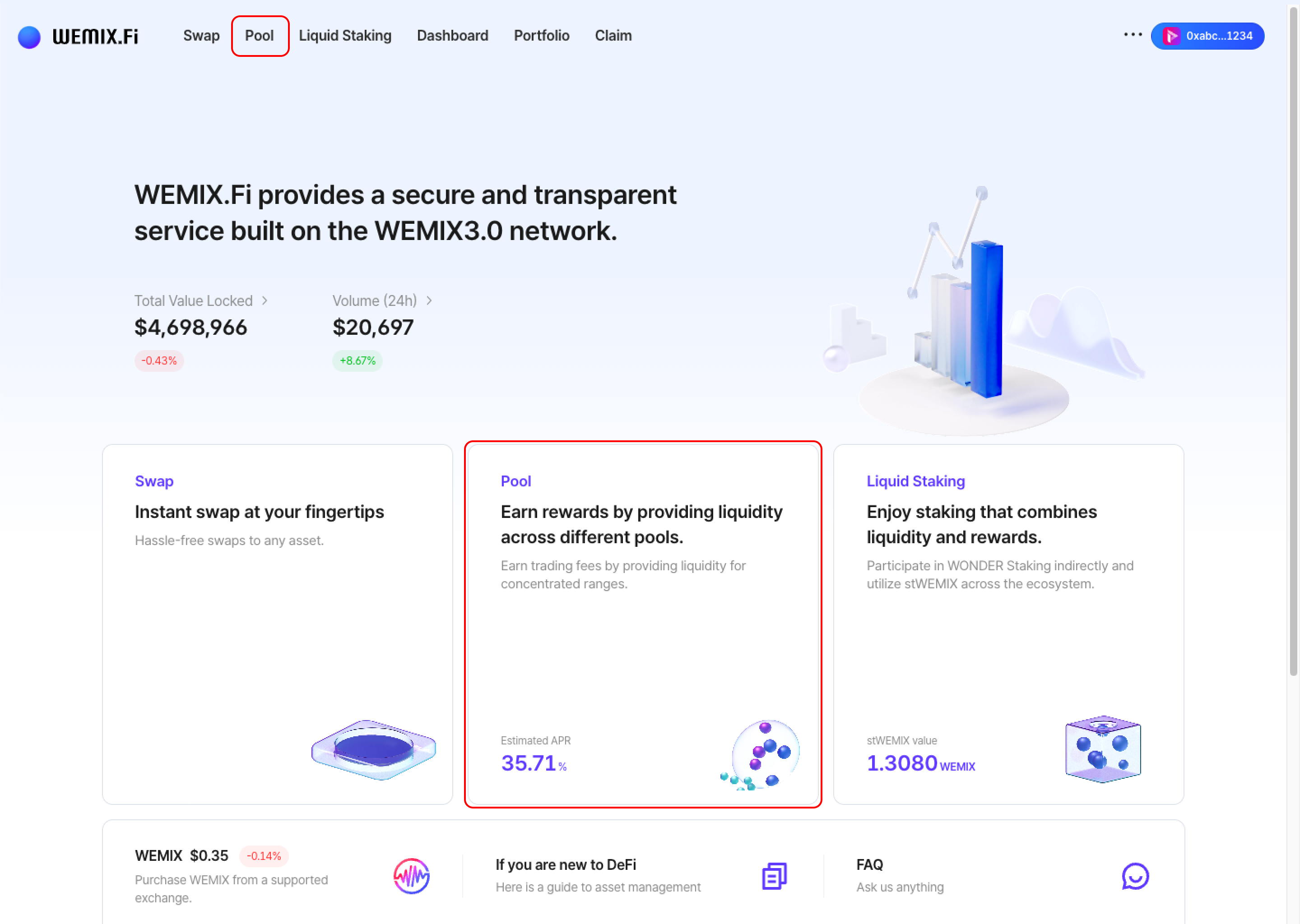
* Connect a wallet to WEMIX.Fi and navigate to the Pool page.

<figure><img src="https://1713088198-files.gitbook.io/~/files/v0/b/gitbook-x-prod.appspot.com/o/spaces%2FEo55jrwSeX46HoVs0pqI%2Fuploads%2FFZt1TeLOd0DHoRzymZoR%2Fimage.png?alt=media&amp;token=2c06aa0c-ff22-407c-860a-7218abe990fd" alt=""><figcaption></figcaption></figure>

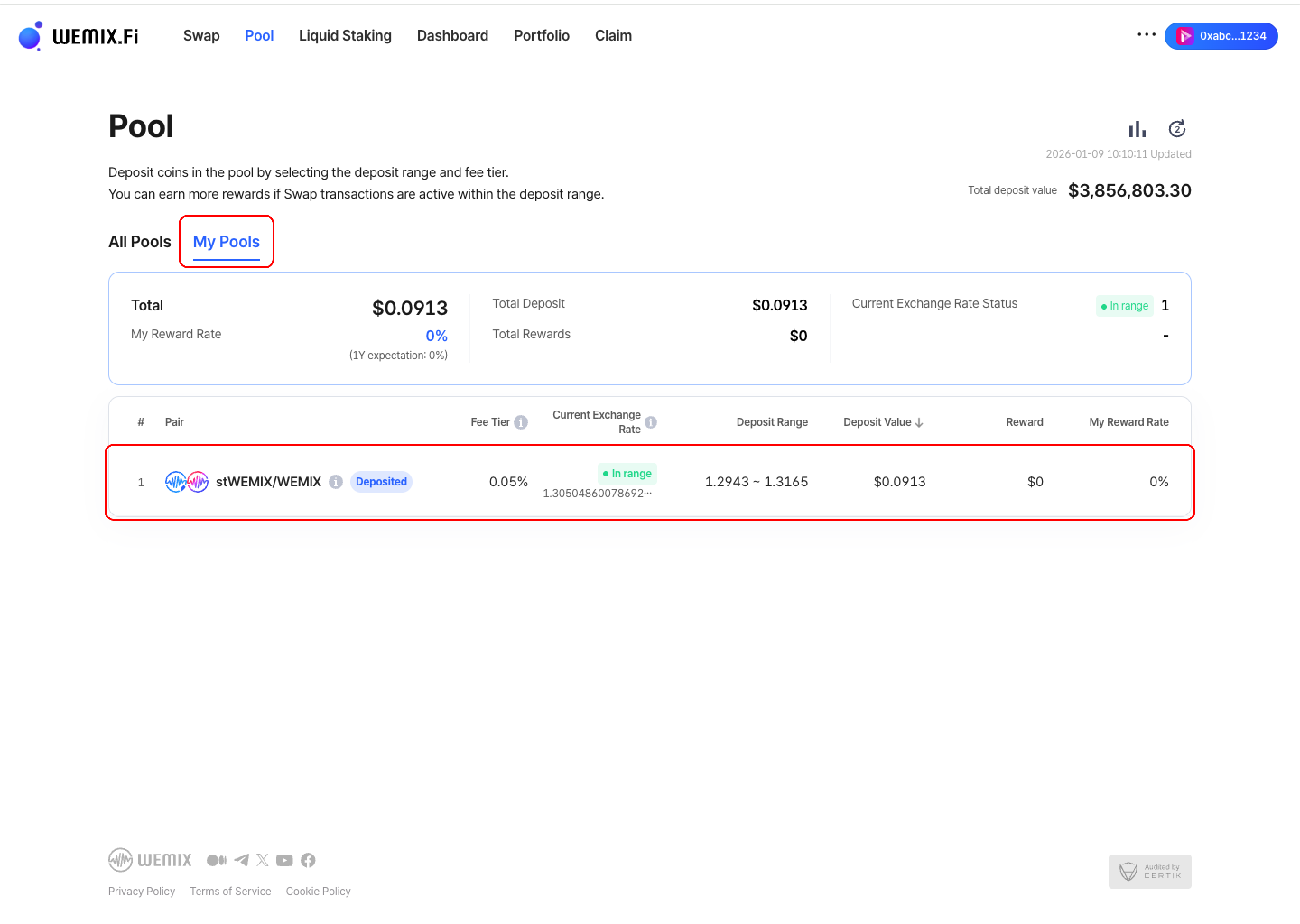
* Access 'My Pools' to view active liquidity positions. Select the position to withdraw.
  {% endstep %}

{% step %}

## Enter Withdrawal Amount

<figure><img src="https://1713088198-files.gitbook.io/~/files/v0/b/gitbook-x-prod.appspot.com/o/spaces%2FEo55jrwSeX46HoVs0pqI%2Fuploads%2FZb5bKS3tWYBVpyVwYwlL%2Fimage.png?alt=media&amp;token=8f41c8a0-5dd7-4165-a77d-72cd8a9f5dca" alt=""><figcaption></figcaption></figure>

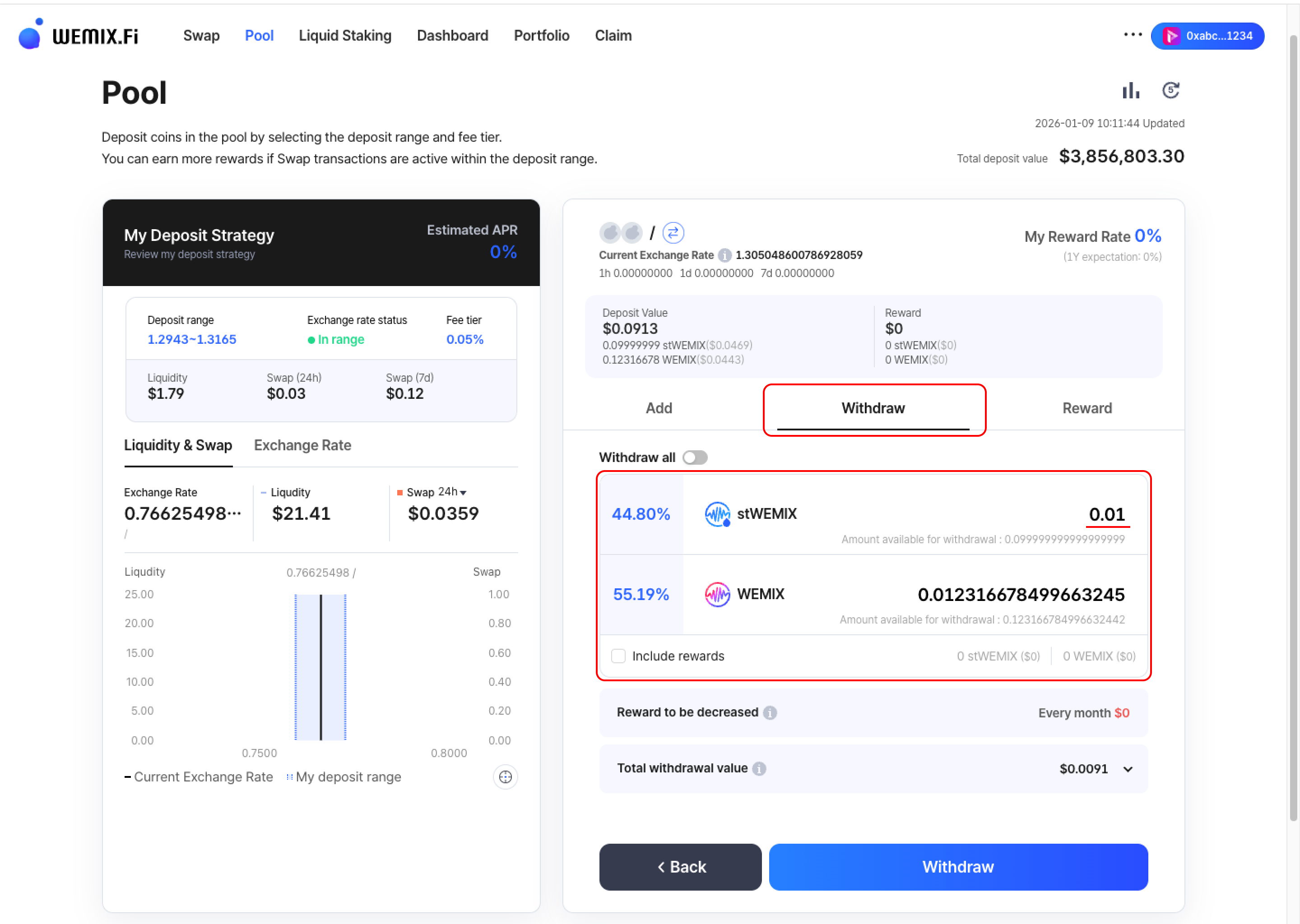
* Input the amount to withdraw from the selected position.

<figure><img src="https://1713088198-files.gitbook.io/~/files/v0/b/gitbook-x-prod.appspot.com/o/spaces%2FEo55jrwSeX46HoVs0pqI%2Fuploads%2FrJiAIIbZGmIUBumZxGz5%2Fimage.png?alt=media&amp;token=a97b9931-2a45-4ed6-a670-0f59fb7306a2" alt=""><figcaption></figcaption></figure>

{% hint style="info" %}

#### Withdrawal Options

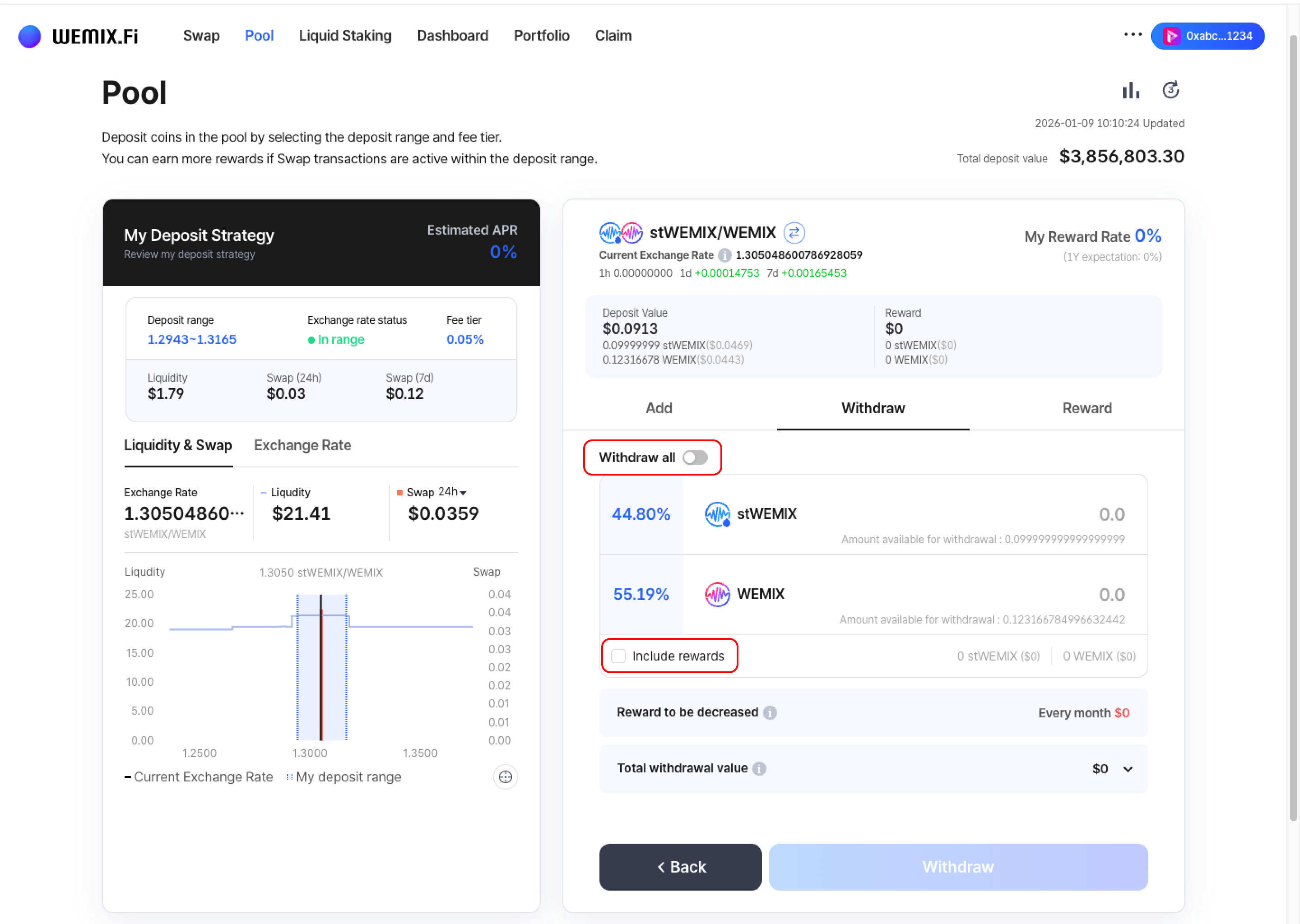
* Withdraw all: Toggle to withdraw the entire position
* Include rewards: Select to include accumulated rewards in the withdrawal
  {% endhint %}
  {% endstep %}

{% step %}

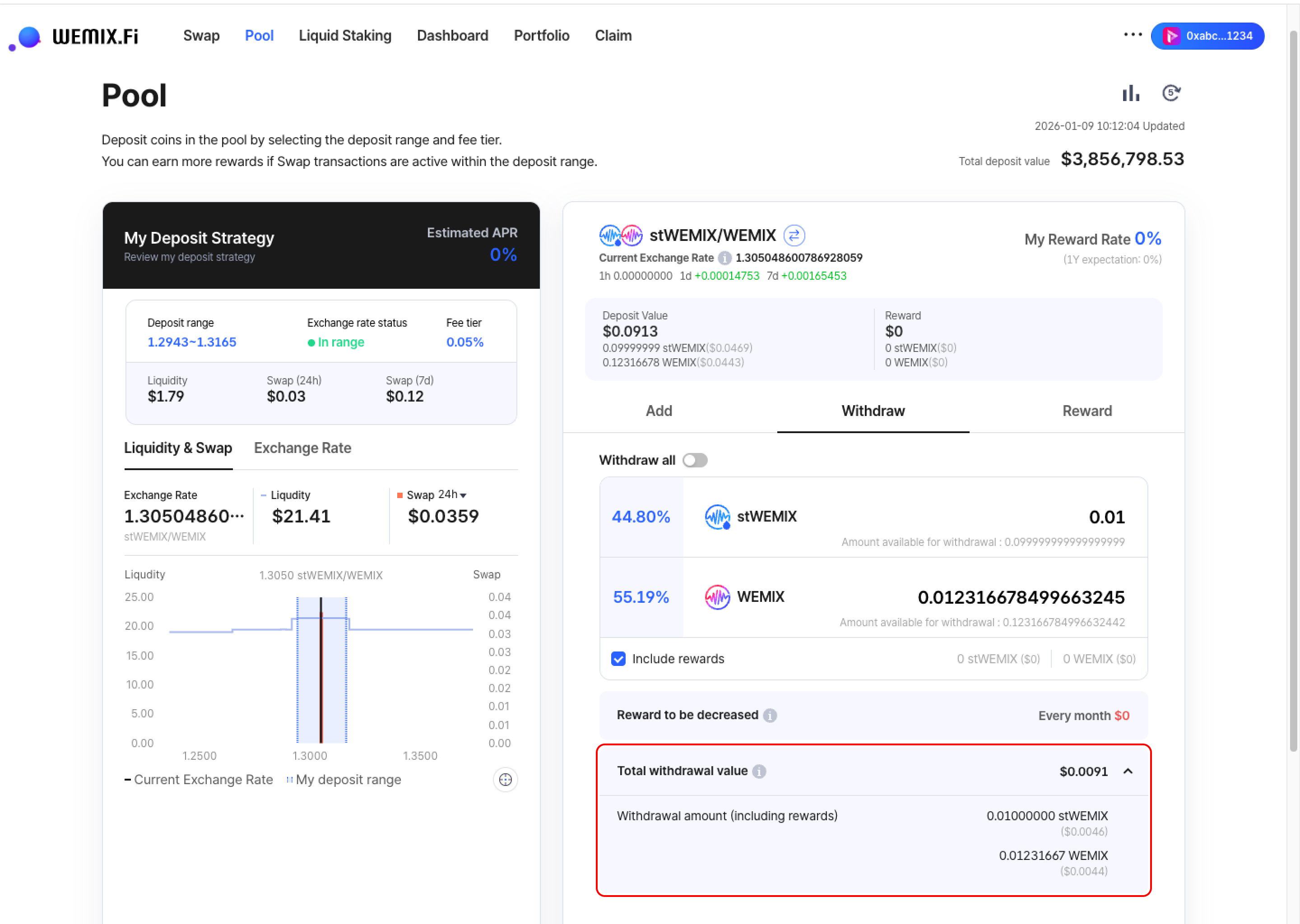
## Confirm Total Withdrawal Value

<figure><img src="https://1713088198-files.gitbook.io/~/files/v0/b/gitbook-x-prod.appspot.com/o/spaces%2FEo55jrwSeX46HoVs0pqI%2Fuploads%2F2p49VDz9T82fwgmg7sxH%2Fimage.png?alt=media&amp;token=37c91d94-3ea1-436a-aebc-724a72de96ec" alt=""><figcaption></figcaption></figure>

* Review the total withdrawal value before proceeding. The interface displays:
  * Withdrawal amount (includes rewards if 'Include rewards' is selected)
  * Total value in USD equivalent
    {% endstep %}

{% step %}

## Executing the Transaction

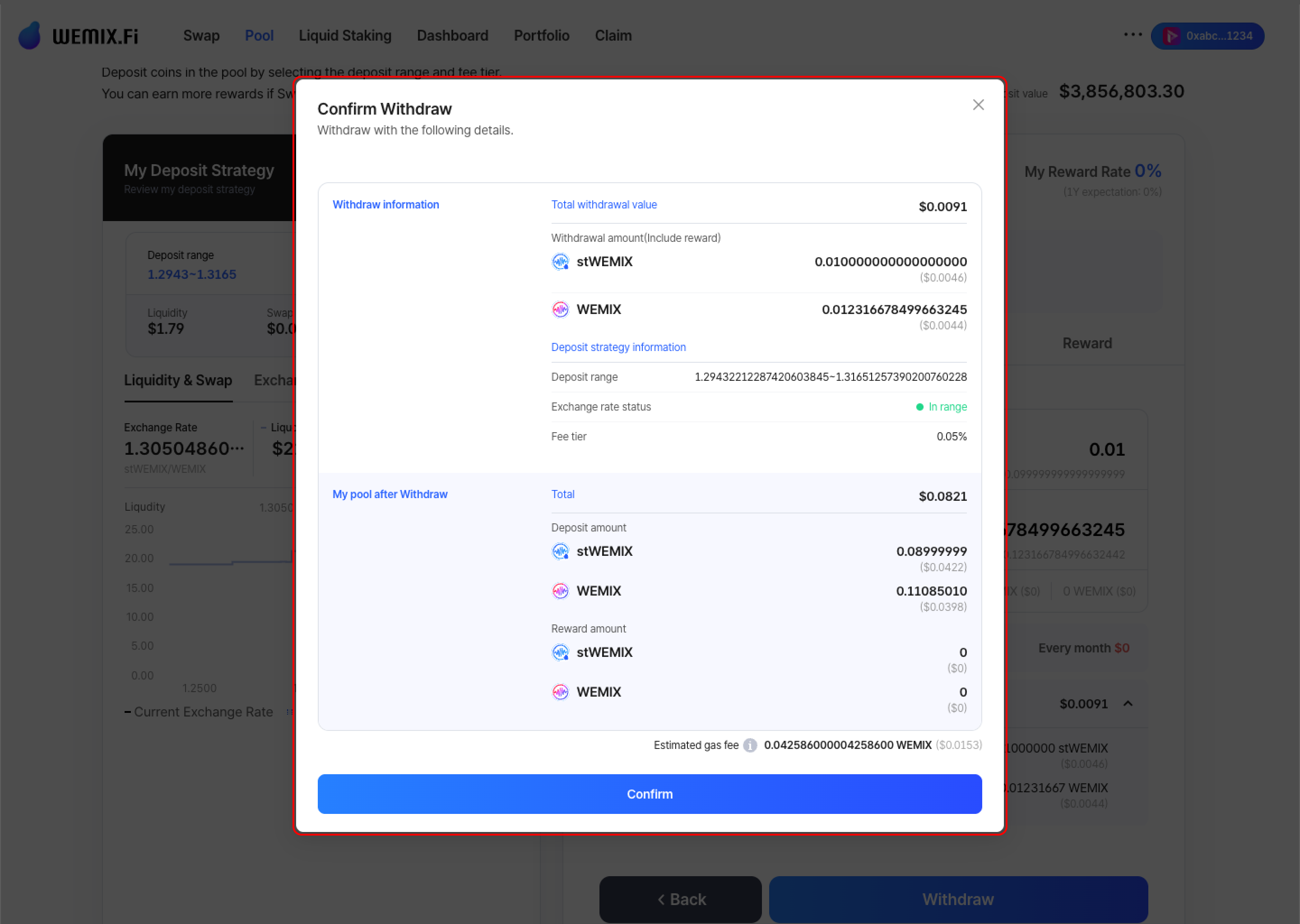
<figure><img src="https://1713088198-files.gitbook.io/~/files/v0/b/gitbook-x-prod.appspot.com/o/spaces%2FEo55jrwSeX46HoVs0pqI%2Fuploads%2F1PYh9XKvkrEGmbXZfhfm%2Fimage.png?alt=media&amp;token=a4862671-2164-4003-984c-9ae2bf5049b6" alt=""><figcaption></figcaption></figure>

* Review all withdrawal details and confirm.

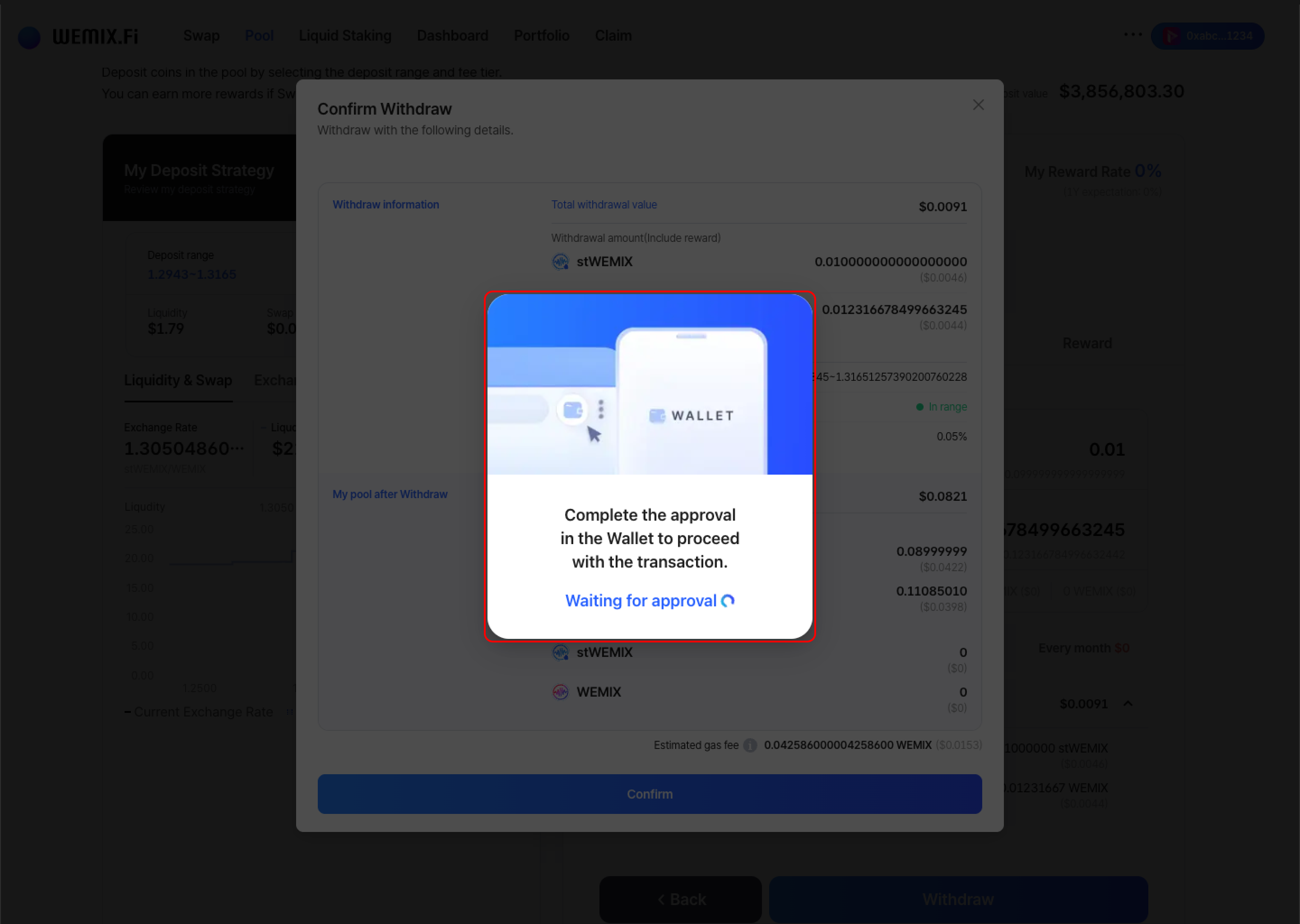
<figure><img src="https://1713088198-files.gitbook.io/~/files/v0/b/gitbook-x-prod.appspot.com/o/spaces%2FEo55jrwSeX46HoVs0pqI%2Fuploads%2FdFlnxrH6OKKcNRaNyuS4%2Fimage.png?alt=media&amp;token=e68a9a6c-2ced-412e-b422-d5be2f2ff215" alt=""><figcaption></figcaption></figure>

* The wallet requests approval to process the withdrawal. After approval, the transaction processes on the blockchain.

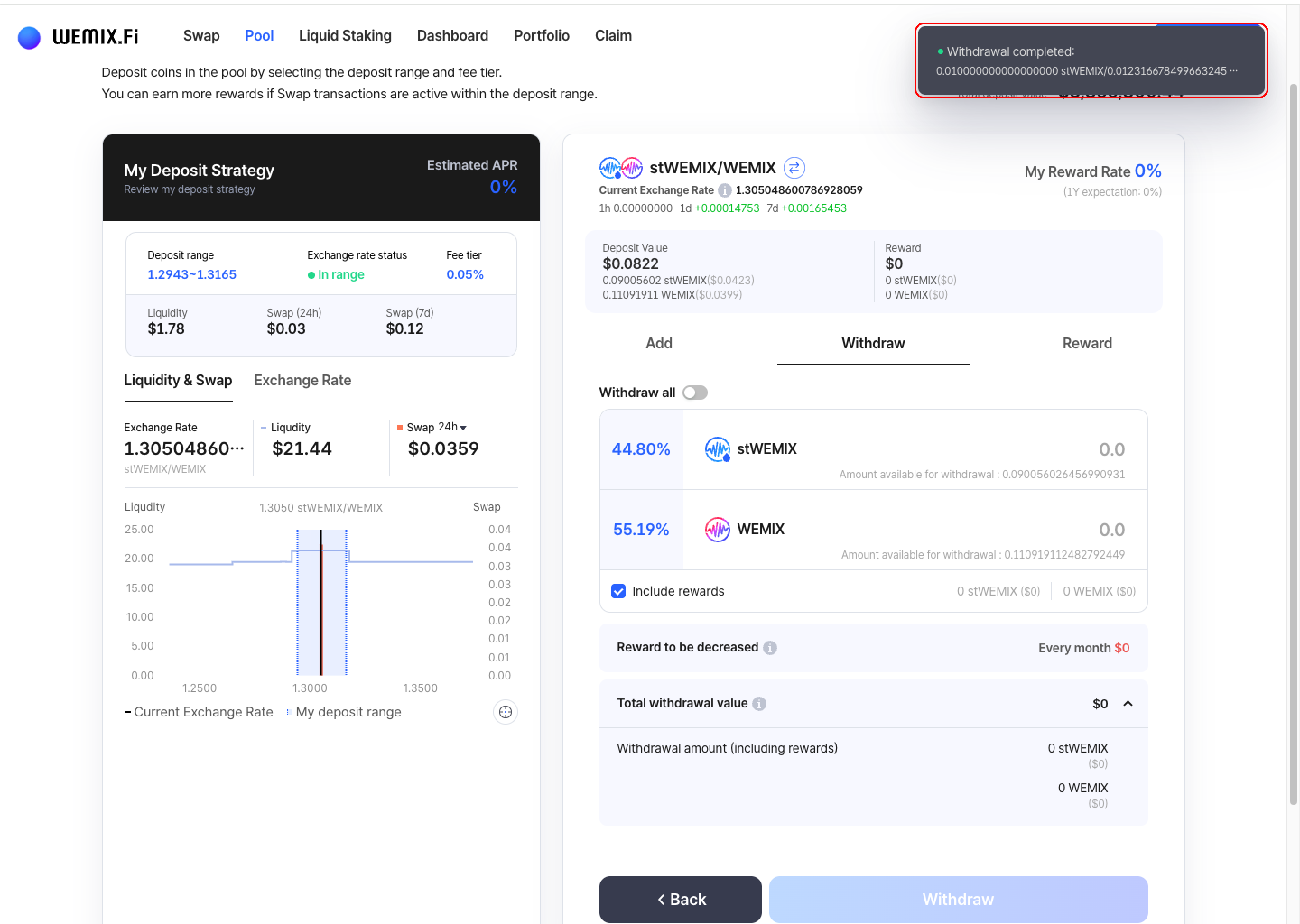
<figure><img src="https://1713088198-files.gitbook.io/~/files/v0/b/gitbook-x-prod.appspot.com/o/spaces%2FEo55jrwSeX46HoVs0pqI%2Fuploads%2FV5jH8zLkVAS9vsI8VaG0%2Fimage.png?alt=media&amp;token=7ef21852-e45b-43e2-afaa-fd37c8dc677f" alt=""><figcaption></figcaption></figure>

* A confirmation notification appears upon successful withdrawal.
  {% endstep %}
  {% endstepper %}

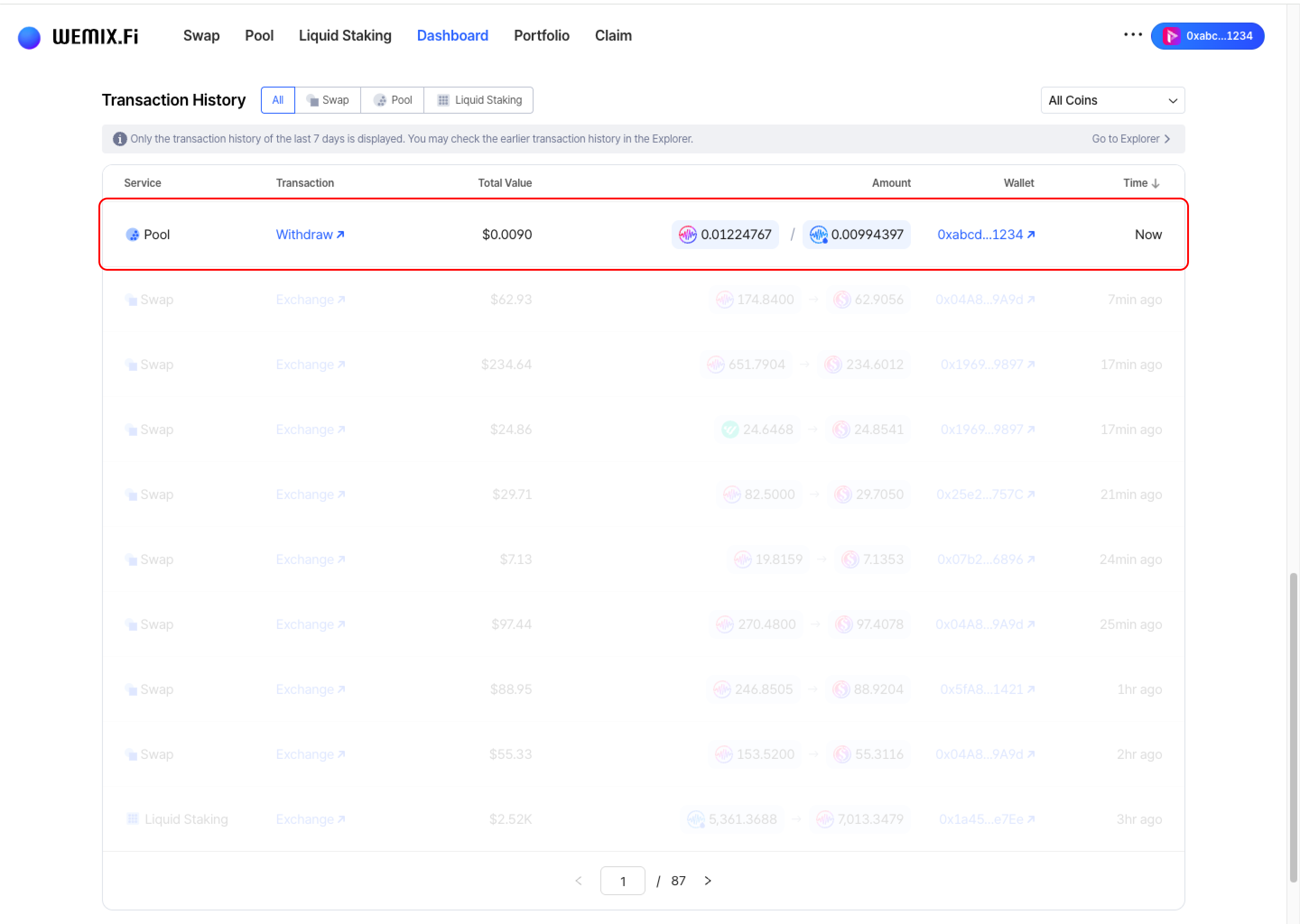
## Transaction History

<figure><img src="https://1713088198-files.gitbook.io/~/files/v0/b/gitbook-x-prod.appspot.com/o/spaces%2FEo55jrwSeX46HoVs0pqI%2Fuploads%2FLEnN8ZbCOdFTQ6rCPCXM%2Fimage.png?alt=media&amp;token=4d437c84-974e-468b-a775-282454d541b7" alt=""><figcaption></figcaption></figure>

* Completed withdrawals appear in the Dashboard's Transaction History.