> For the complete documentation index, see [llms.txt](https://docs.wemix.fi/llms.txt). Markdown versions of documentation pages are available by appending `.md` to page URLs; this page is available as [Markdown](https://docs.wemix.fi/guides/swap.md).

# Swap

The Swap feature allows direct exchange of tokens on WEMIX.Fi. This guide walks through the complete process from connecting a wallet to completing a transaction.

{% hint style="info" %}

#### Prerequisites

Required items for Swap:

* A Web3 wallet(WemixPLAY, MetaMask) set up for WEMIX3.0 network
* Tokens to swap in the wallet
* Native WEMIX to pay network transaction fees
  {% endhint %}

***

{% stepper %}
{% step %}

## Starting a Swap

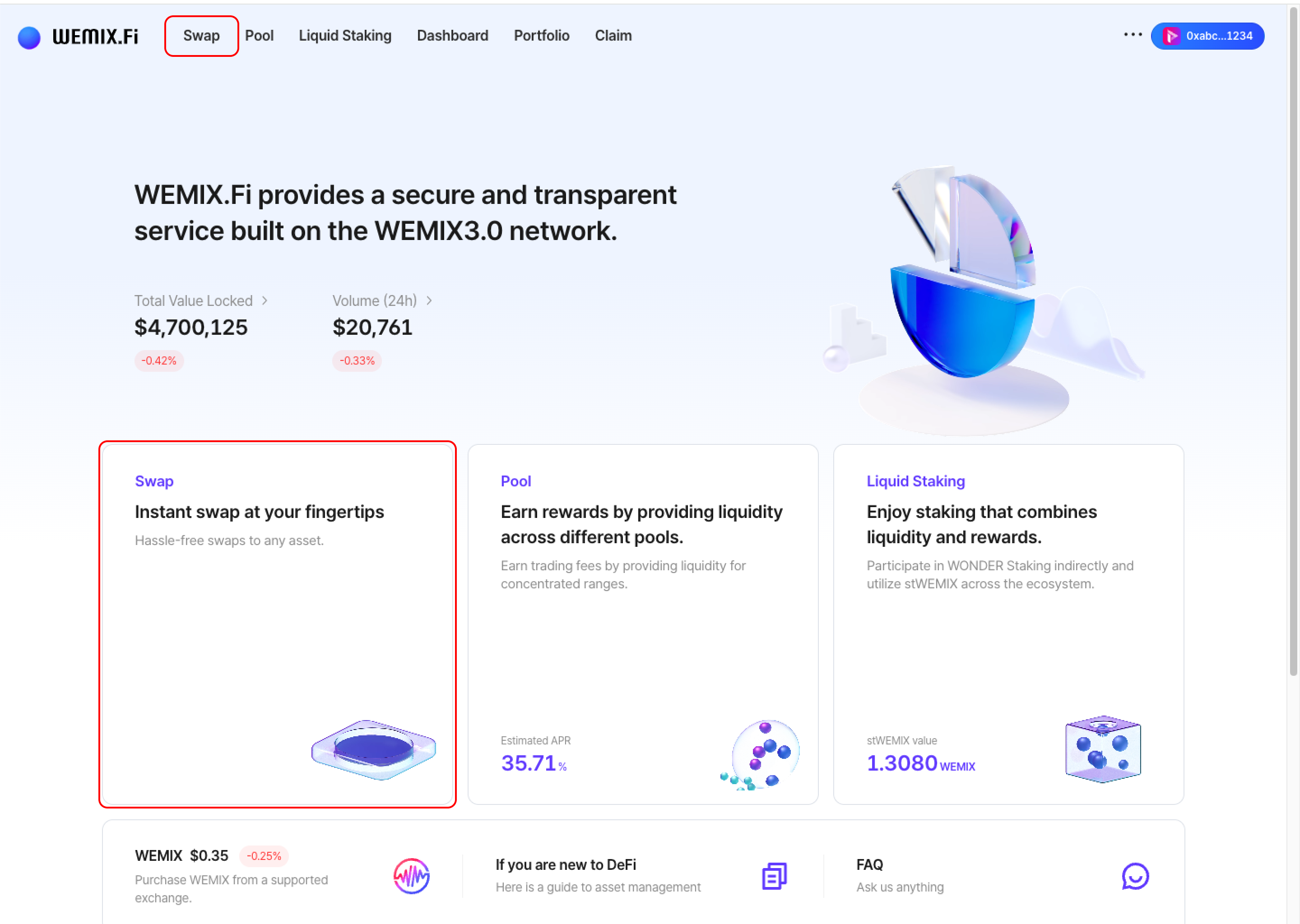
<figure><img src="https://1713088198-files.gitbook.io/~/files/v0/b/gitbook-x-prod.appspot.com/o/spaces%2FEo55jrwSeX46HoVs0pqI%2Fuploads%2Fe8C5LMwhFzQvwtvCFp40%2Fimage.png?alt=media&amp;token=a8f83cbe-3701-42d3-bd74-87fdce4975f7" alt=""><figcaption></figcaption></figure>

* Connect a wallet to WEMIX.Fi and navigate to the Swap page.
  {% endstep %}

{% step %}

## Select Tokens

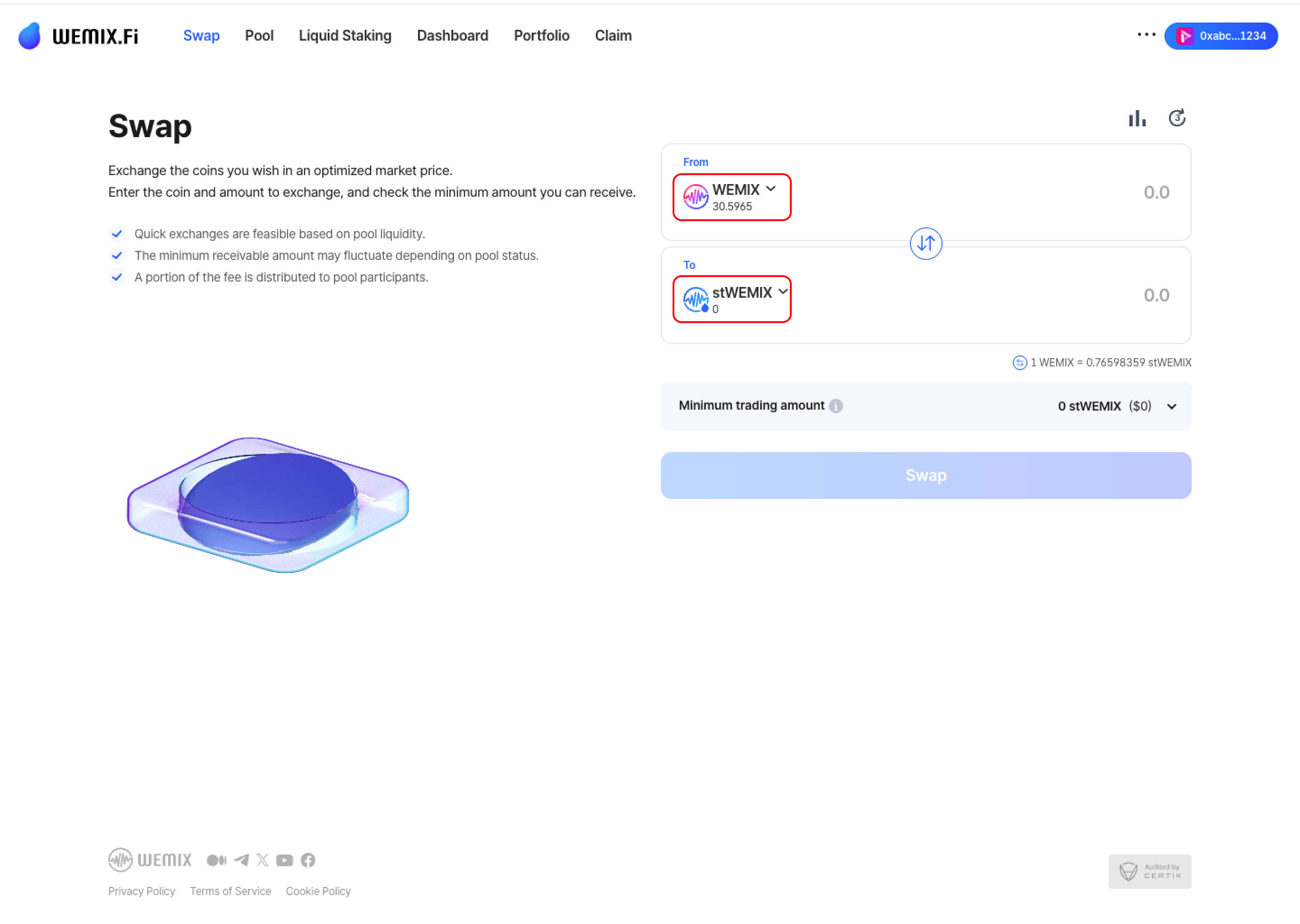
<figure><img src="https://1713088198-files.gitbook.io/~/files/v0/b/gitbook-x-prod.appspot.com/o/spaces%2FEo55jrwSeX46HoVs0pqI%2Fuploads%2FRLWQKUER1yIxB7Q4m5fg%2Fimage.png?alt=media&amp;token=883ce8be-6237-4739-9e91-e44f09d447b7" alt=""><figcaption></figcaption></figure>

* Choose the source token (From) and destination token (To). The interface displays available wallet balances.
  {% endstep %}

{% step %}

## Enter Amount

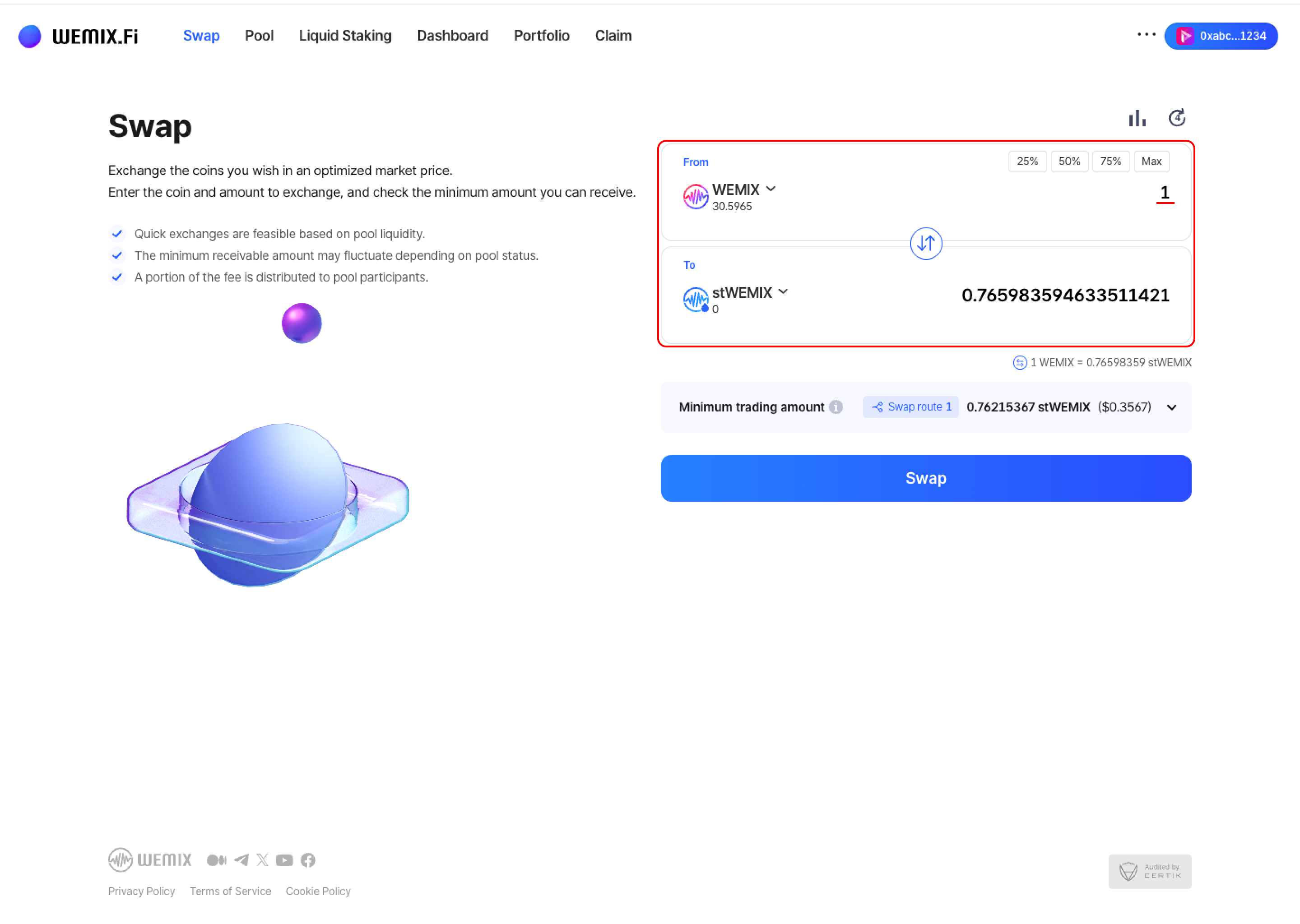
<figure><img src="https://1713088198-files.gitbook.io/~/files/v0/b/gitbook-x-prod.appspot.com/o/spaces%2FEo55jrwSeX46HoVs0pqI%2Fuploads%2FN1c6fSnfzK7f96RWnSAm%2Fimage.png?alt=media&amp;token=1c2ec41b-8a3e-4b5a-b86e-2d8cb6948ce0" alt=""><figcaption></figcaption></figure>

* Input the swap amount. The interface calculates the estimated output based on current rates.
  {% endstep %}

{% step %}

## Swap Details

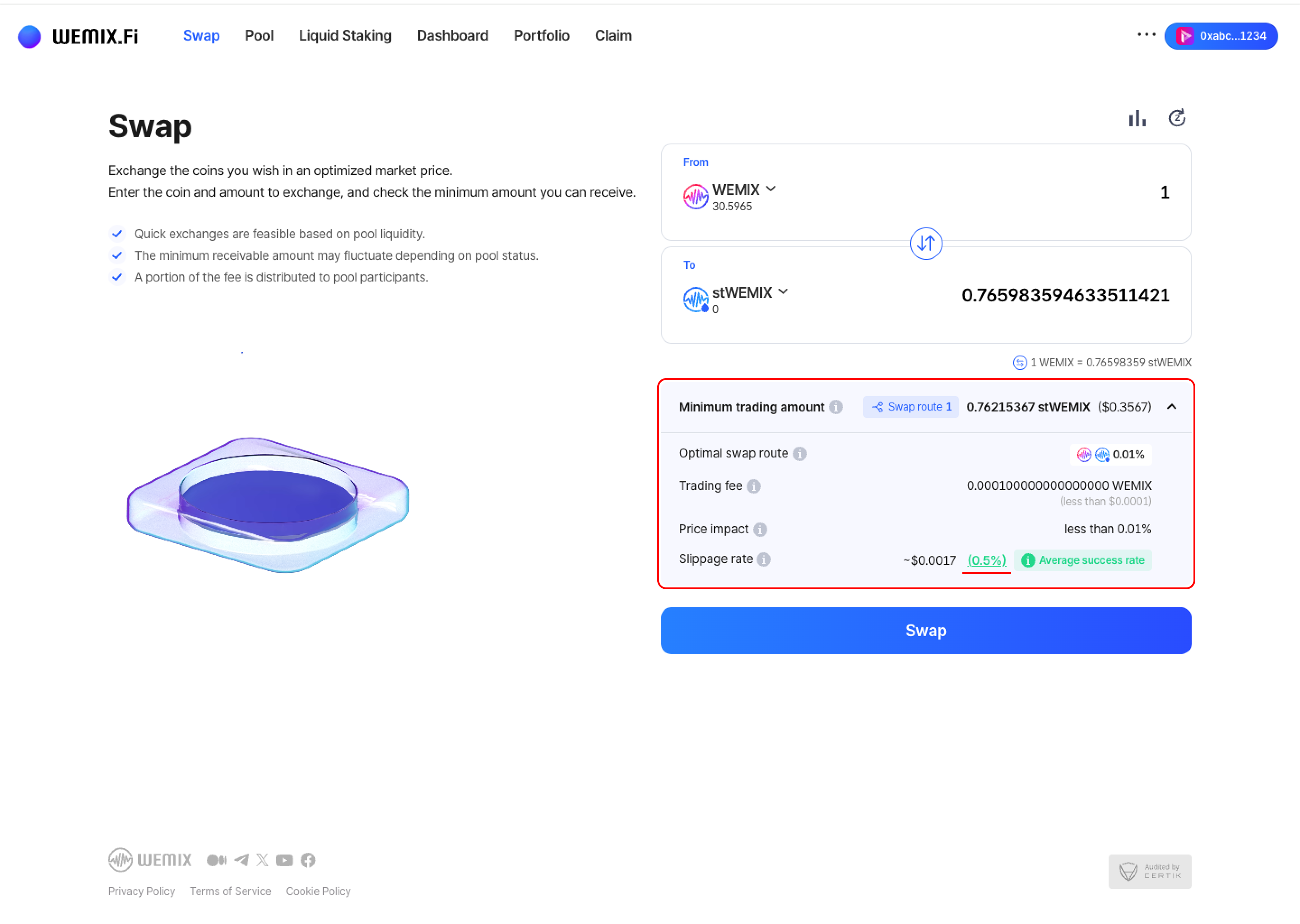
<figure><img src="https://1713088198-files.gitbook.io/~/files/v0/b/gitbook-x-prod.appspot.com/o/spaces%2FEo55jrwSeX46HoVs0pqI%2Fuploads%2FGSnaATFL1iYVmaaZ9ww1%2Fimage.png?alt=media&amp;token=c86862a3-ff16-411a-b045-1f064c07e370" alt=""><figcaption></figcaption></figure>

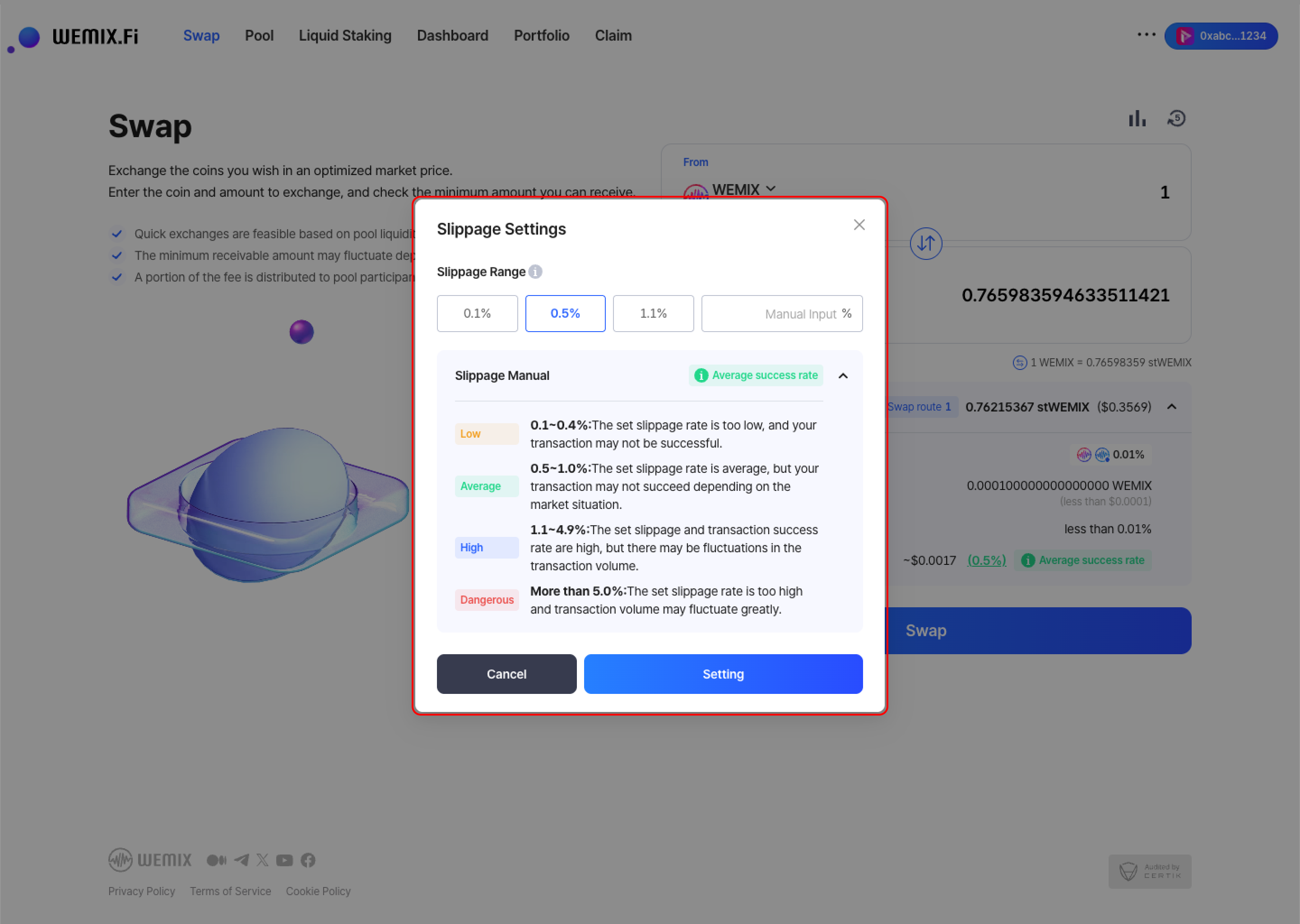
* The interface provides key transaction information:

  * **Minimum Trading Amount:** The minimum guaranteed output after accounting for fees, slippage, and price changes.
  * **Optimal Swap Route:** The most efficient path through liquidity pools for the best rate. Routes may include intermediate tokens.
  * **Trading Fee:** Fee rates vary based on the liquidity pool's fee tier configuration.
  * **Price Impact:** The effect of trade size on token price. Larger trades create higher price impact and less favorable rates.
  * **Slippage Rate:** Maximum acceptable price deviation during execution. Options include 0.1%, 0.5%, 1.1%, or custom input. Lower slippage provides protection but risks transaction failure. Higher slippage increases success rate but permits greater price variation.

  <figure><img src="https://1713088198-files.gitbook.io/~/files/v0/b/gitbook-x-prod.appspot.com/o/spaces%2FEo55jrwSeX46HoVs0pqI%2Fuploads%2FUvWIGaKZ1nw3nXZ7HzFK%2Fimage.png?alt=media&amp;token=ce98ae7f-3dbb-4dfd-8287-dcf0c347979f" alt=""><figcaption></figcaption></figure>

{% endstep %}

{% step %}

## Executing the Swap

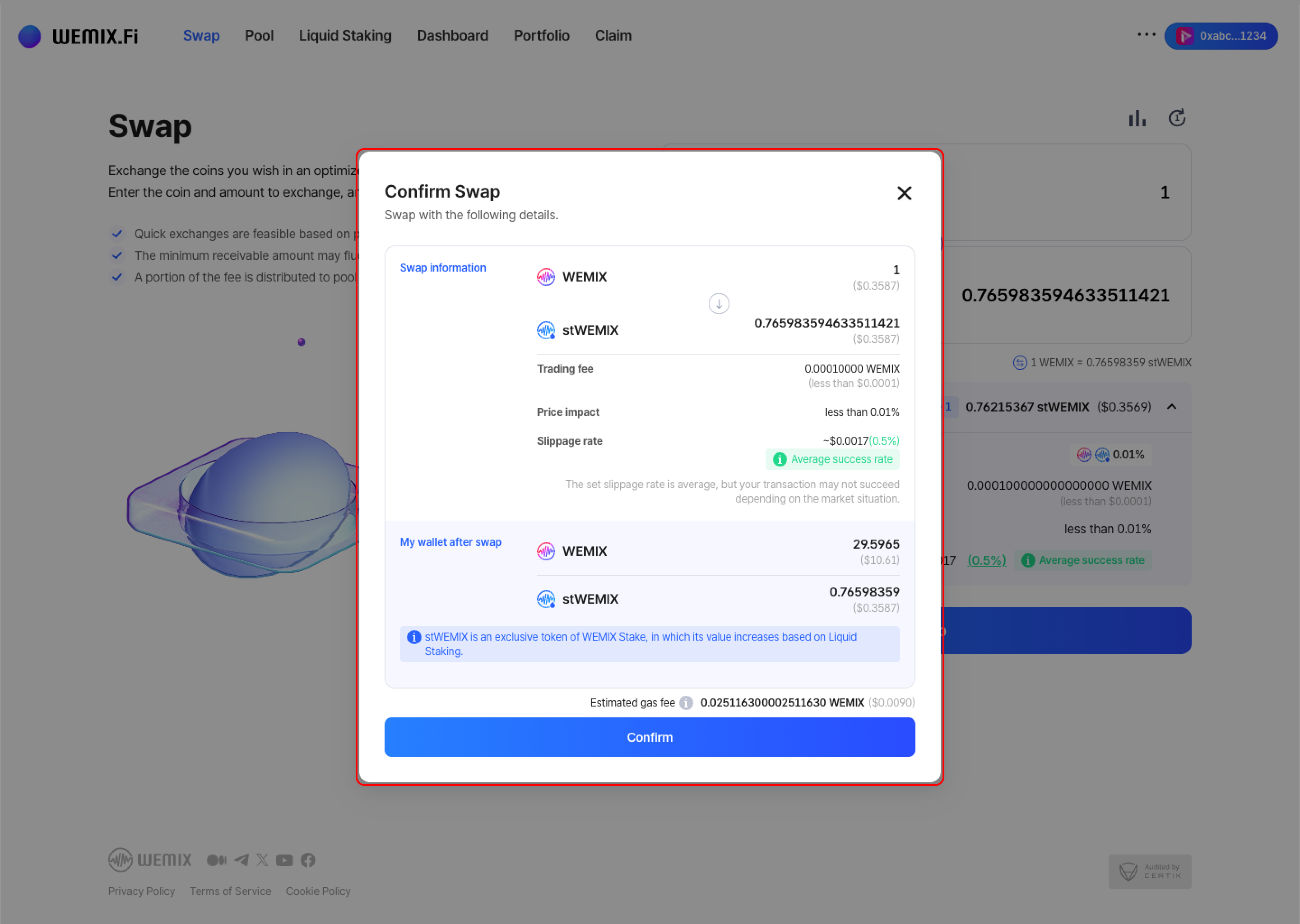
<figure><img src="https://1713088198-files.gitbook.io/~/files/v0/b/gitbook-x-prod.appspot.com/o/spaces%2FEo55jrwSeX46HoVs0pqI%2Fuploads%2F9Dws2EfBgMJMFKAKYCJ2%2Fimage.png?alt=media&amp;token=5b33cc8a-90b7-4934-8e2c-398862cef5bc" alt=""><figcaption></figcaption></figure>

* Review the transaction details and confirm.
  {% endstep %}

{% step %}

### Executing the Swap

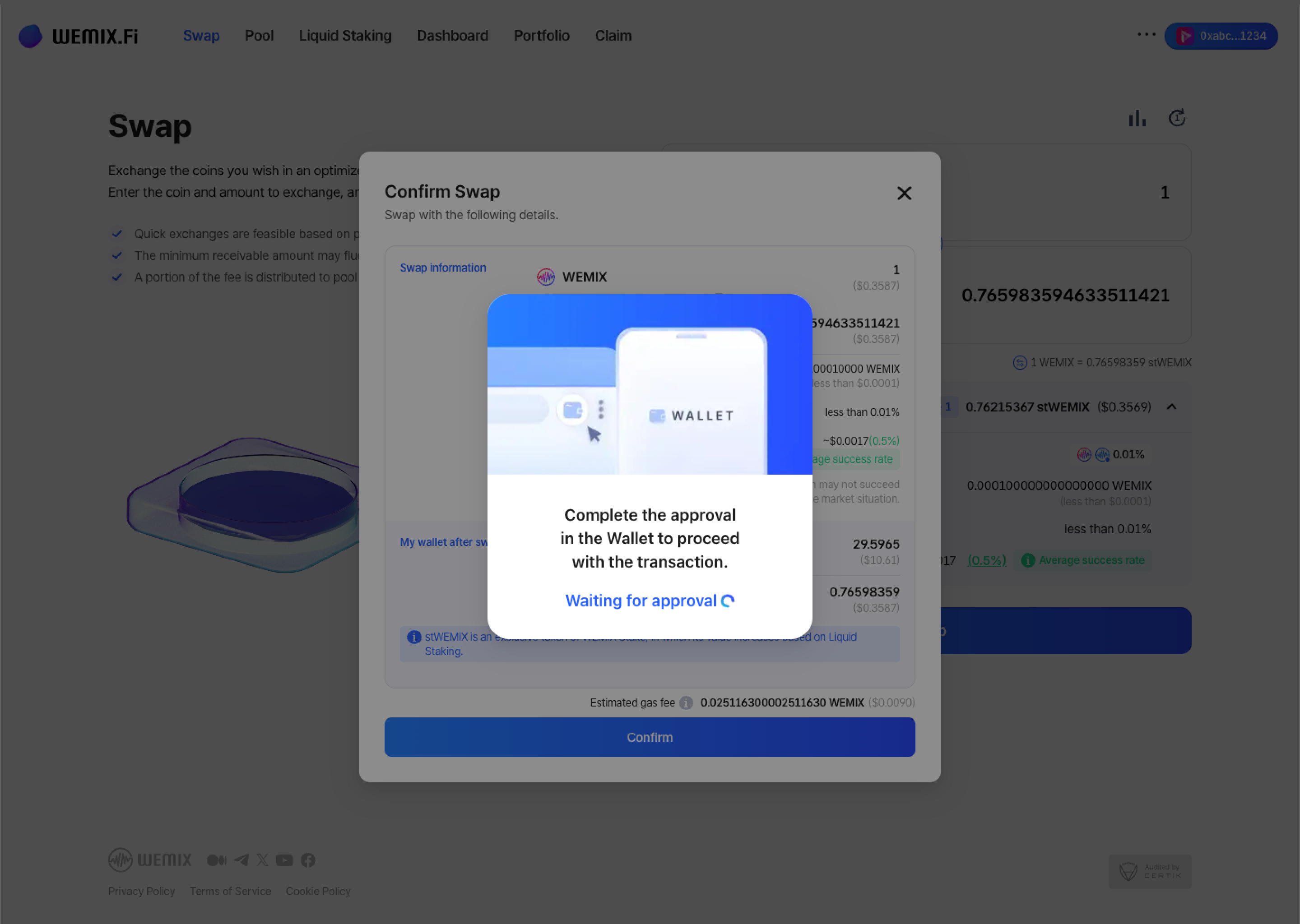
<figure><img src="https://1713088198-files.gitbook.io/~/files/v0/b/gitbook-x-prod.appspot.com/o/spaces%2FEo55jrwSeX46HoVs0pqI%2Fuploads%2FoouACyvLEE79O00jeeXZ%2Fimage.png?alt=media&amp;token=0c899bbd-5c49-4685-8ff8-7c338ec22063" alt=""><figcaption></figcaption></figure>

* The wallet requests approval - first-time token swaps may require additional contract approval. After approval, the transaction processes on the blockchain.

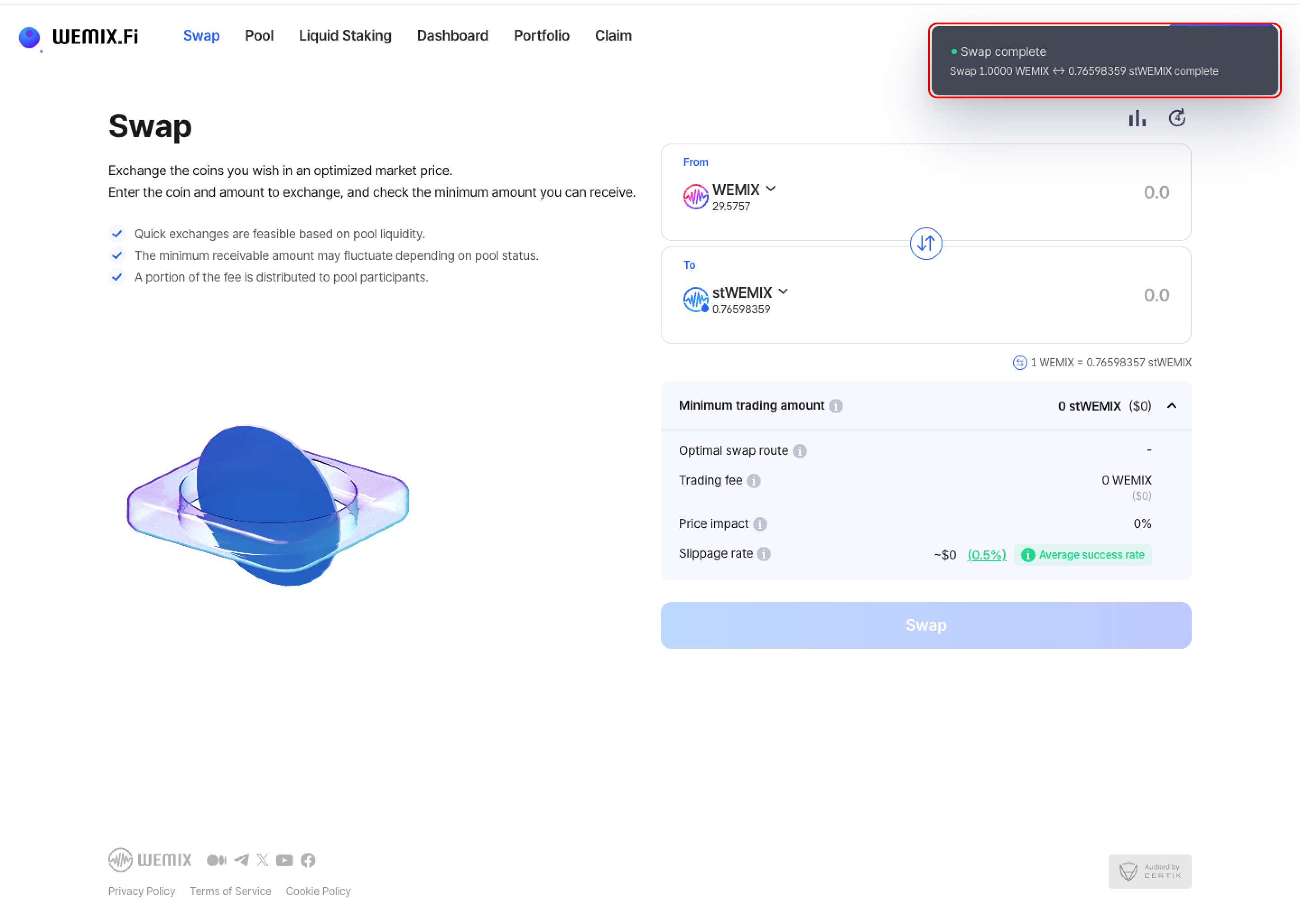
<figure><img src="https://1713088198-files.gitbook.io/~/files/v0/b/gitbook-x-prod.appspot.com/o/spaces%2FEo55jrwSeX46HoVs0pqI%2Fuploads%2FYUJ4Zcq8PCe40Cgbcaev%2Fimage.png?alt=media&amp;token=2476d9e5-2c40-40de-8795-343b6e27fe89" alt=""><figcaption></figcaption></figure>

* A confirmation notification appears upon completion.
  {% endstep %}

{% step %}

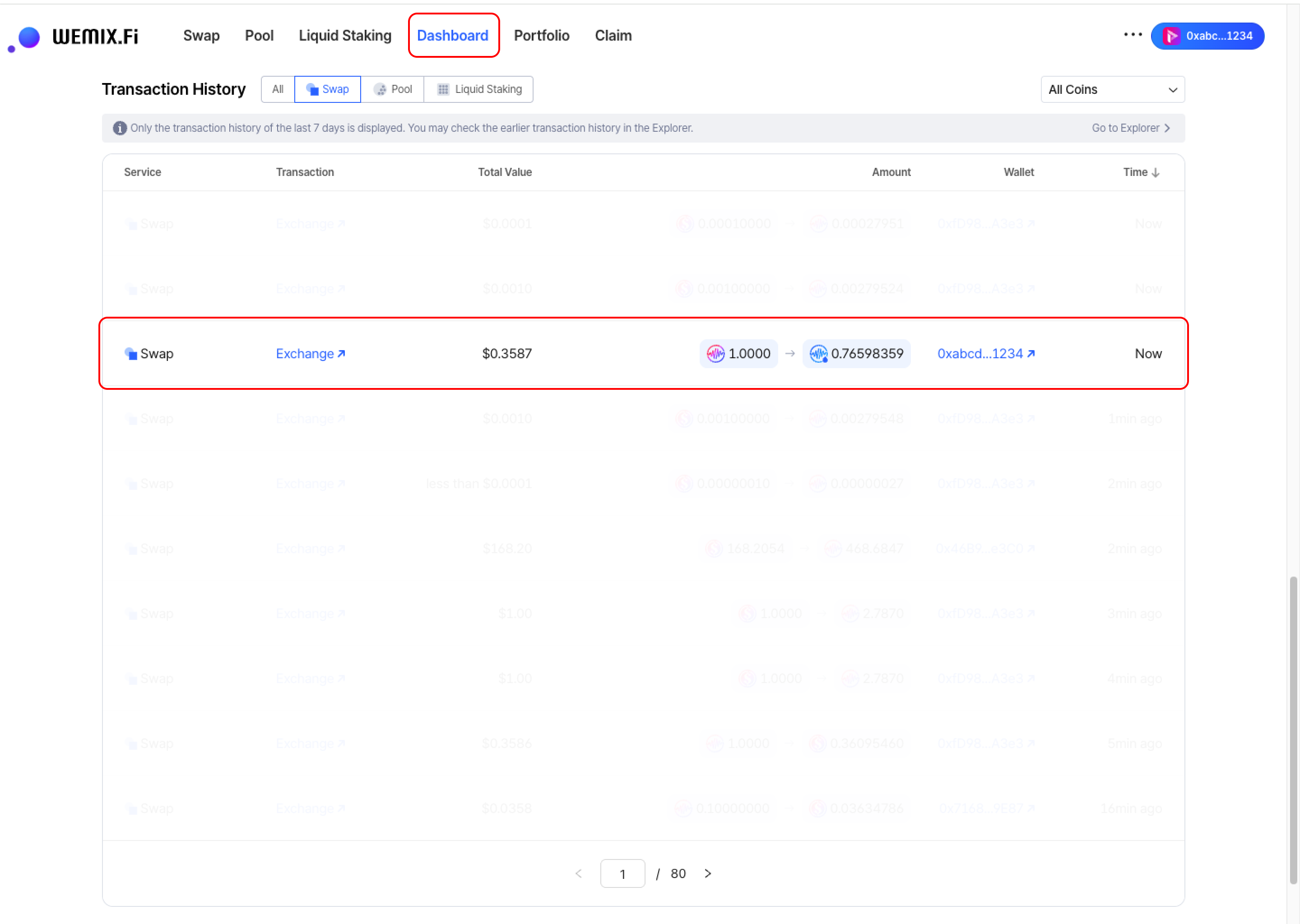
## Transaction History

<figure><img src="https://1713088198-files.gitbook.io/~/files/v0/b/gitbook-x-prod.appspot.com/o/spaces%2FEo55jrwSeX46HoVs0pqI%2Fuploads%2FxpG0bJ7XoqztOxXO9RH8%2Fimage.png?alt=media&amp;token=e1777033-b727-45a7-aa97-d66ff01522a6" alt=""><figcaption></figcaption></figure>

* Completed swaps appear in the Dashboard's Transaction History.
  {% endstep %}
  {% endstepper %}